Cooper-Atkins (Copeland)
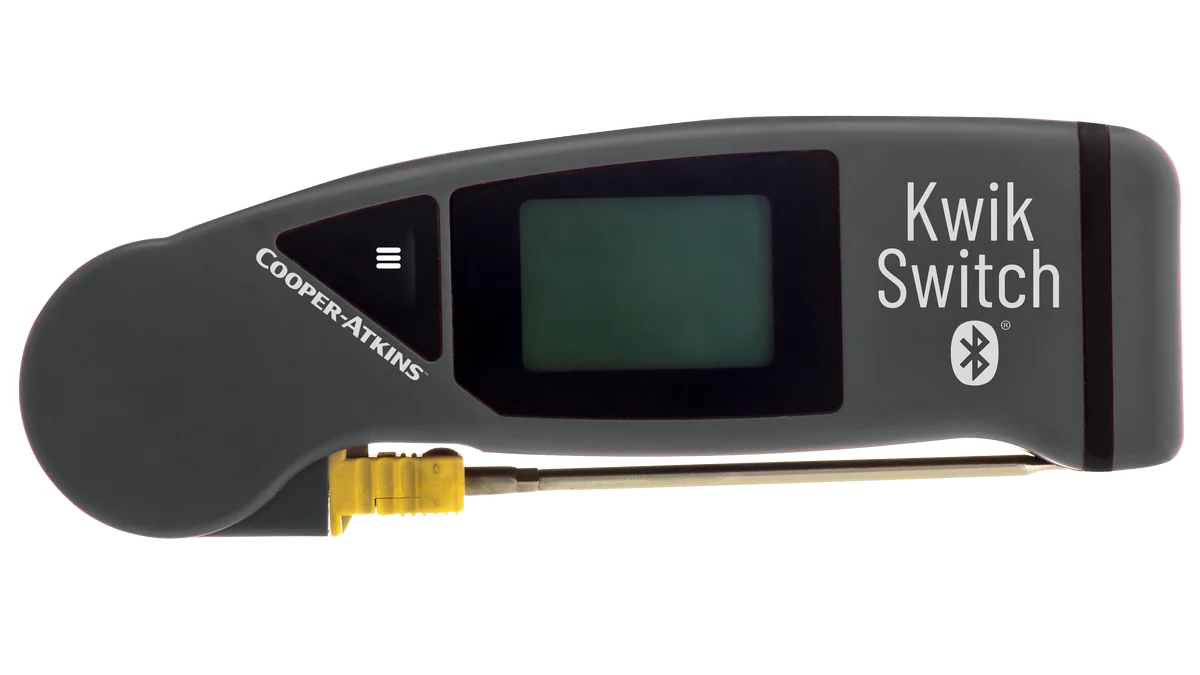
KwikSwitch BLE 94100-B
Folding thermocouple probe with Bluetooth. Fits in a pocket and pairs with the app.
Daily operations
Restaurant daily operations are a hundred small jobs between unlocking the door and setting the alarm. MaintainIQ puts them in one app, from the opening checklist to the closing walk-through, so every shift and every location runs the same way and you can see how the day went.
Operators at these brands use MaintainIQ
A day in MaintainIQ
An example day at a restaurant called Riverside. Your times and checklists will be your own.
The opener works through the opening checklist on the kitchen tablet. Walk-in at 41°F or below, hand sinks stocked, sanitizer buckets ready. It is due by 7 AM and is submitted with their name.
The kitchen lead checks the line before service. Stations stocked, holding temperatures in range, backups ready. Readings can come from a handheld Bluetooth probe.
Hourly checks keep the restrooms and the dining room from slipping during the rush.
The afternoon temp log finds the salad prep cooler at 44.6°F. That item becomes a follow-up task with a due date, and the manager reports the cooler as a work order from their phone.
The mid-shift check resets the kitchen for dinner. At night the closing checklist covers fryer oil, the walk-in door, floors and trash, and it is due before the closer leaves.
You get one email with each location's checklists and scores from yesterday, and a summary of open follow-up tasks. Nobody has to call around to find out how the night went.
Opening and closing
The best closer on your team does it right because they know the routine. Put that routine in a checklist and every closer does the same steps, in the same order, by the same time. Wondering what belongs on it? See what goes on a closing checklist.
Food safety
Food safety is not one big inspection, it is a dozen small checks a day. Put temperature logs and line checks on a schedule, take readings with a handheld Bluetooth probe, and when a reading fails the check, it becomes a follow-up task instead of a number nobody looks at again.
Temperature probes
Pair a supported handheld Bluetooth probe with the phone or tablet, and each reading is recorded in the temperature log with who took it and when.
Cooper-Atkins (Copeland)
Folding thermocouple probe with Bluetooth. Fits in a pocket and pairs with the app.
Cooper-Atkins (Copeland)
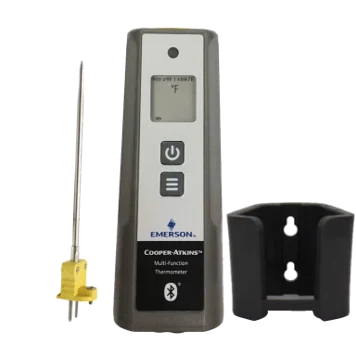
Handheld Bluetooth thermometer, shown with its probe and wall holder.
Available from most online sellers.
Repairs
The ice machine that "has been acting up" for a week usually was never reported. In MaintainIQ anyone on shift can report a problem from their phone with the equipment and a priority. It goes to a person who accepts it, and you can see it is being handled.
Next morning
Owners and area managers cannot be at every opening and closing. The daily summary email puts every location's checklist scores in one email, the detailed email covers a single location, and the dashboard shows which locations are on track, running late or need attention.
Straight answer
MaintainIQ covers checklists, food safety checks, follow-up tasks, audits and maintenance. It does not take orders, build staff schedules or count inventory, so you keep your POS and scheduling tools and use MaintainIQ for the work that happens on the floor.
Free templates
Download a template, or read what belongs on a daily restaurant operations checklist.
A free restaurant mid-shift checklist for the lull between rushes. Restock, sanitize, check food temperatures and walk the floor before the next wave.
Free kitchen closing checklist PDF for six nightly jobs: surfaces, equipment, food storage, floors and drains, shutdown and security, and a final sign-off.
Download our FREE food safety checklist PDF & ensure compliance. Enhance safety with pre-shift, operational, & post-shift tasks. Protect your restaurant today!
They are the routines that run a restaurant each day, including opening, prep, line checks, temperature logs, cleaning, handling problems and closing. Running them the same way every shift is what keeps food safe, the equipment working and service consistent.
Use the same checklists everywhere, give each one a due time and check completion every day. In MaintainIQ one checklist can run at many locations, and the dashboard shows each location's status, last completion and who submitted it.
At a minimum, an opening checklist, a line check before each service, temperature logs, cleaning tasks and a closing checklist. Many operators add hourly restroom checks, a mid-shift reset, a prep list and an incident report for when something goes wrong.
Check your daily email. MaintainIQ sends a daily summary email with each location's checklist scores, daily detailed emails for a single location and a summary of open follow-up tasks, so you know where to look before you arrive.
No. MaintainIQ runs checklists, temperature logs, follow-up tasks, audits and maintenance. It does not take orders, build staff schedules or count inventory, so you keep those tools.
Yes. MaintainIQ is priced per location with unlimited users, so a single restaurant gets the same features as a group with dozens of locations. See pricing.
Ready when you are
In a 15-minute demo we will walk through your opening, food safety, closing and repair routines and show you what you would see the next morning.
Prefer to talk? Call (888) 534-0261. US-based support.