Cooper-Atkins (Copeland)
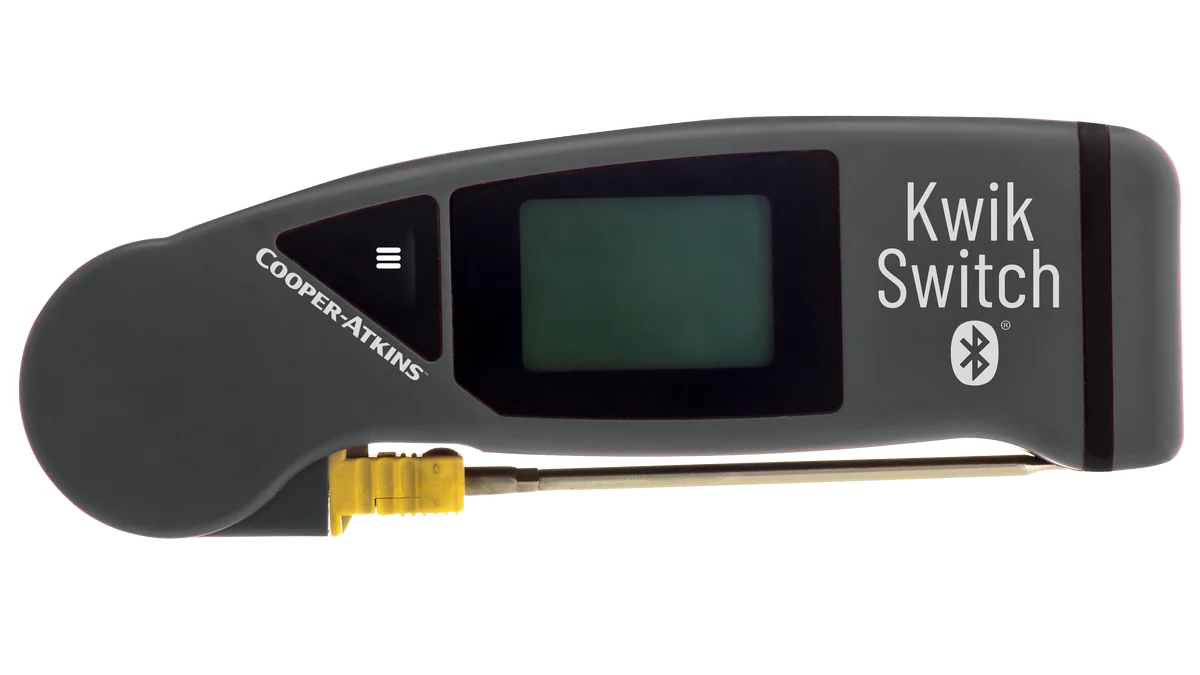
KwikSwitch BLE 94100-B
Folding thermocouple probe with Bluetooth. Fits in a pocket and pairs with the app.
Digital temp checks
MaintainIQ turns your temp checks into digital temperature logs your team fills in on the phones and tablets they already use. Probe readings are captured and time-stamped, the app marks a reading out of range by itself, every log carries the name of the person who submitted it, and a bad reading becomes a follow-up task instead of a number nobody reads.
Operators at these brands use MaintainIQ
Check
Build the temp log once, with a line for each cooler, freezer, hot well and prep unit, and use it at every location. Staff walk the line with a phone or the kitchen tablet and tap through it. No clipboard by the walk-in, no sheet filled in at the end of the night.
Probe
Pair a supported Bluetooth probe with the phone or tablet and take the reading the way you always have. The temperature is captured and time-stamped in the app, so the number on the log is the number the probe read, and nobody has to write it down or retype it later.
Temperature probes
Pair a supported handheld Bluetooth probe with the phone or tablet, and each reading is recorded in the temperature log with who took it and when.
Cooper-Atkins (Copeland)
Folding thermocouple probe with Bluetooth. Fits in a pocket and pairs with the app.
Cooper-Atkins (Copeland)
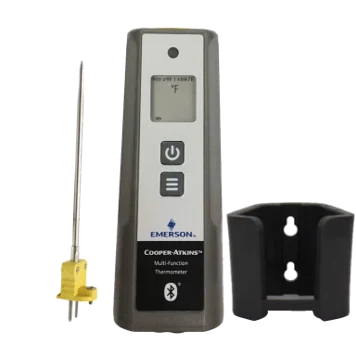
Handheld Bluetooth thermometer, shown with its probe and wall holder.
Available from most online sellers.
Accountability
Every temp log is saved with the name of the person who submitted it and the time. For each location you see the current status and when the log was last completed, so a skipped 2 PM check shows up the same afternoon instead of at your next health inspection.
Follow up
When the salad prep cooler reads 44.6°F, the app marks the reading out of range by itself, but writing it down is not the point. Moving the product and getting the cooler looked at is. A failed item on the temp log becomes a follow-up task with a due date and a status, so someone owns it and you can see when it was done.
FDA Food Code
These are the US FDA Food Code limits for food that needs time and temperature control for safety. Your state or county may use a different version of the code or add its own rules, so check locally. For deliveries, see our guide to safe receiving temperatures.
| Check | FDA Food Code limit | What to put on your temp log |
|---|---|---|
| Cold holding | 41°F or below | Walk-ins, reach-ins and prep rails, on your opening and line checks |
| Hot holding | 135°F or above | Hot wells and holding cabinets during service |
| Cooling | From 135°F to 70°F within 2 hours, then to 41°F or below within the next 4 hours | A reading at the start and at each time limit |
Source: US FDA Food Code, section 3-501.16 (hot and cold holding) and section 3-501.14 (cooling).
How it works
List what to check and when the log is due. Use it at one location or fifty.
Staff work through the log on a phone or tablet, with a supported probe or by typing each reading.
The log is saved with who submitted it and when, and the dashboard updates.
A failed item becomes a follow-up task, and managers see what is still open.
Free templates
Free food receiving and delivery inspection checklist PDF with TCS receiving temperatures, rejection rules and a receiving log for restaurants and grocers.
Free deli and prepared foods safety checklist PDF covering 4-hour slicer cleaning, 7-day date marking, holding temperatures and inspection records.
Free walk-in cooler maintenance checklists with daily, weekly and monthly tasks to keep your cooler at 41°F or below, avoid breakdowns and pass inspections.
A digital temperature log is a record of food and equipment temperatures kept in an app instead of on paper. Each check is saved with the time and the person who did it, so missed checks and bad readings show up the same day, and you have the history ready when the health inspector asks.
MaintainIQ works with Cooper-Atkins/Copeland handheld Bluetooth probes, the KwikSwitch BLE 94100-B and the Multi-Function Thermometer. Readings taken with them are captured and time-stamped in the app, so nobody writes the number down by hand.
No. Staff can type the temperature into the item by hand, or run a temp check as a Yes/No item, for example "Walk-in cooler at 41°F or below". A supported Bluetooth probe adds the reading for them, captured and time-stamped, so nobody has to type it and the number on record is the one the probe read.
Yes, when a reading is taken. The app marks a reading that is out of range by itself, and you can set custom alerts for numbers outside the limits you set. The failed item becomes a follow-up task with a due date and a status.
Food in a walk-in cooler should be held at 41°F or below under the US FDA Food Code. Many kitchens run the walk-in a few degrees colder so food stays under 41°F when the door is opened all through a busy shift. Your local health code may set different rules.
Yes. Your temp logs are saved in MaintainIQ with the name of the person who submitted each one and when, so you can pull them up on a phone or tablet instead of digging for a binder. A manager can view or export the records for any date range to show the inspector. Ask your health department if it has rules for how records are kept, and see our health inspection checklist for what else inspectors look at.
Ready when you are
In a 15-minute demo we will show you how temp checks, probe readings and follow-up tasks would work at your locations.
Prefer to talk? Call (888) 534-0261. US-based support.