How to Set Up Automated Work Orders for Recurring Maintenance Tasks
Learn how to set up automated work orders for recurring maintenance tasks so nothing gets missed, from HVAC filters to hood cleanings, across every location.
Key takeaways
- List every recurring task in three groups: code-required inspections, equipment preventive maintenance, and operational upkeep.
- Set each frequency by the regulation first, then the manufacturer’s schedule, then what your own service history shows.
- Open vendor jobs like hood cleaning two to three weeks before they are due, and stagger them across the quarter if you run many locations.
- Send overdue work orders to the next level of management, for example to the district manager when a task is 48 hours late.
On this page
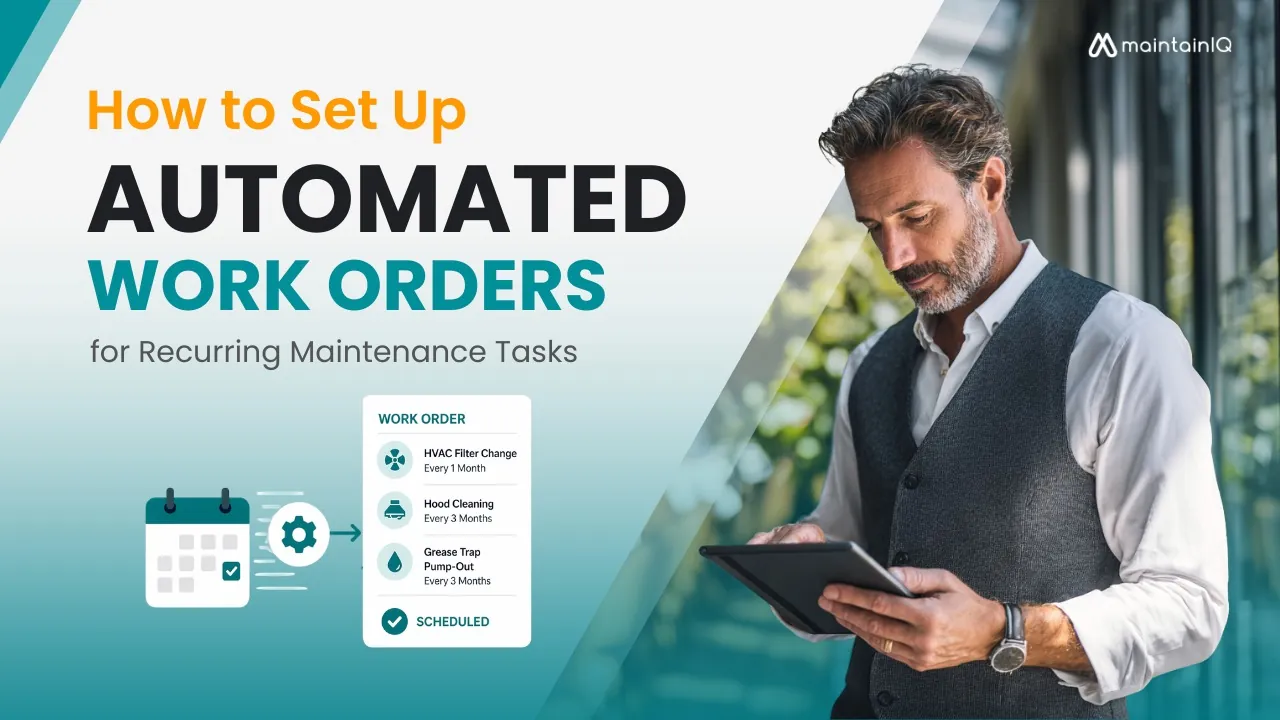
To set up automated work orders for recurring maintenance, list every task that has to happen on a schedule, give each one a frequency, build a standard work order template for it, and then let your software open the work order when it comes due. After that, add an overdue rule so late jobs go up the chain. Do that once and hood cleanings, filter changes and coil cleanings stop depending on someone’s memory.
Every restaurant, hotel and facility has dozens of these tasks: hood cleanings, HVAC filter changes, grease trap pump-outs, fire suppression inspections, refrigeration coil cleanings. They aren’t optional. Many are required by code, and skipping them leads to equipment failure, health violations and emergency repair bills that cost far more than scheduled service.
The problem is that most operators track these tasks with spreadsheets, calendars or memory. A manager remembers the quarterly hood cleaning is due, until they don’t. A technician finishes a repair, but nobody logs it, so the next work order gets created for a job that’s already done. Across multiple locations, these gaps multiply fast.
Automated work orders solve this by putting maintenance tasks on a set schedule, so nobody has to remember to create them. Each task has an owner. It gets tracked to completion. And if it doesn’t get done, management knows about it.
This article walks through how to set up automated work orders for recurring maintenance, from identifying what needs to be scheduled, to setting the right frequencies, to building a system that runs across every location without constant oversight.
Why Recurring Maintenance Breaks Down Without Automation
Before building the system, it’s worth understanding why manual scheduling fails, even when operators know exactly what needs to be done.
Tasks slip during busy periods. A quarterly condenser coil cleaning is easy to remember in January. It’s easy to forget during a summer rush when every manager is focused on staffing and sales. Without an automatic reminder, low-urgency but high-importance tasks get pushed to “next week” indefinitely.
Tracking across locations is nearly impossible by hand. If you operate ten locations, each with 15 to 20 recurring maintenance tasks at different frequencies, you’re managing 150 to 200 recurring tasks, many of which come up several times a year. A spreadsheet can list them. It can’t send reminders, assign technicians, track completion or flag overdue items.
There’s no accountability trail. When a work order lives on a whiteboard or in a manager’s notebook, there’s no record of when it was created, who was assigned, when it was completed or what was found. If a health inspector or fire marshal asks for documentation of your last hood cleaning or fire suppression test, you need more than someone’s word.
Emergency repairs eat the budget. According to the U.S. Department of Energy, preventive maintenance reduces overall maintenance costs by 12 to 18% compared to reactive approaches. Emergency repairs also tend to cost more than scheduled service, before you count the sales lost while equipment is down. Every recurring task that gets missed is a future emergency repair waiting to happen.
The purpose of automation isn’t to add complexity. It’s to remove the human bottleneck from a process that needs to happen consistently, on time and with documentation, however busy the operation gets.
Step 1: Identify Every Recurring Maintenance Task
The first step is building a complete inventory of every task that needs to happen on a schedule. Most operators undercount because they think about the big items (hood cleaning, HVAC service) and forget the smaller ones that still carry compliance or equipment consequences.
Start by walking through your operation with three categories in mind.
Code-Required Maintenance
These tasks are required by regulation, and missing them puts your operating permits at risk.
Kitchen hood and exhaust cleaning is governed by NFPA 96. Frequency depends on what and how much you cook:
| Operation | Frequency |
|---|---|
| Solid-fuel cooking (wood or charcoal) | Monthly |
| High-volume operations (24-hour kitchens, charbroiling, wok cooking) | Quarterly |
| Moderate-volume operations | Semiannually |
| Low-volume operations, such as seasonal or church kitchens | Annually |
This work needs a qualified cleaning company, and the paperwork must be kept on file for fire marshal inspections. Our hood and exhaust cleaning checklist covers what to check between visits.
Fire suppression system inspection means monthly visual checks of nozzle caps, gauges and physical condition, plus a professional inspection and test every six months under NFPA 17A, including the gas and electric shutoffs. Our guide to fire suppression system maintenance goes through each check.
Fire extinguisher maintenance under NFPA 10 includes a monthly visual inspection (in-house), annual professional maintenance, a six-year internal examination and a twelve-year hydrostatic test.
Grease trap cleaning frequency depends on your local jurisdiction and the 25% rule: the trap must be cleaned before fats, oils and grease fill more than 25% of its capacity. Most operations schedule pump-outs monthly or quarterly.
Elevator inspection follows ASME A17.1 and typically requires an annual certified inspection plus monthly or quarterly in-house checks.
Equipment Preventive Maintenance
These tasks protect your equipment investment and prevent the emergency breakdowns that shut down service.
Refrigeration systems (walk-in coolers, reach-in refrigerators and freezers) need condenser coil cleaning quarterly, door gasket inspection monthly and professional compressor service annually.
HVAC systems need filter changes monthly, coil cleaning quarterly and full professional service twice a year (spring cooling prep, fall heating prep). Use an HVAC preventive maintenance checklist so each visit covers the same points. ASHRAE guidelines apply to facilities with specific air quality requirements, like senior living and healthcare.
Commercial dishwashers need daily rinse arm and drain cleaning, weekly deliming and quarterly professional service to verify that final rinse temperatures meet the FDA Food Code (at least 180°F for most high-temperature machines, 165°F for stationary-rack single-temperature machines).
Ice machines need quarterly professional cleaning and sanitizing on top of daily wipe-downs. Inspectors often look inside ice machines for mold and slime, so this one is worth putting on the schedule.
Operational Maintenance
These tasks keep the building in good shape and protect the guest experience.
Plumbing and water heaters: flush water heaters annually, inspect supply lines quarterly and test backflow prevention devices annually, as your local code requires.
Parking lots and exterior: seal coating, striping and lighting inspection on annual or semiannual schedules.
Pool and spa equipment (hotels, senior living): daily chemical testing, weekly filter backwash and monthly professional service.
The specific list will vary by operation type. A hotel’s recurring tasks look different from a grocery store’s. The point is to capture everything, then assign frequencies.
Step 2: Set the Right Frequencies
Not every task runs on the same interval. Scheduling too often wastes labor and vendor costs. Scheduling too rarely defeats the purpose of preventive maintenance.
Use this order to decide the right cadence for each task:
Regulatory minimums come first. If NFPA 96 requires quarterly hood cleaning for your operation type, that’s the floor, not the ceiling. The same applies to fire extinguisher inspections (NFPA 10), elevator certifications (ASME A17.1) and backflow preventer testing (local code).
Manufacturer recommendations come second. Every piece of commercial equipment ships with a recommended maintenance schedule. Use it. When the compressor on a walk-in cooler fails six months out of warranty and you have no service records, the manufacturer has no reason to offer goodwill support.
Operational experience fills in the gaps. A fryer in a high-volume fried chicken operation needs more frequent oil filtration and boil-outs than one in a café that runs it twice a week. Your own service history tells you which equipment needs more attention than the manufacturer’s baseline suggests.
When in doubt, start conservative and adjust. It’s better to schedule a quarterly task that turns out to need only semiannual attention than to skip six months and discover a failed compressor. Once you have data from completed work orders (time to complete, issues found, parts replaced), you can adjust frequencies based on what actually happens rather than guesswork.
Step 3: Build the Work Order Templates
Each recurring task needs a standard work order template that includes everything the assignee needs to do the job correctly and record the result.
A good template includes:
Task description: what specifically needs to be done, written clearly enough that any qualified person can do it. “Service HVAC” is not a work order. “Replace HVAC air filters (all units), inspect condensate drain lines, verify thermostat calibration and check refrigerant levels” is.
Location and equipment: which specific piece of equipment at which specific location. For operators who manage maintenance across several restaurants from one dashboard, “walk-in cooler” is ambiguous. “Walk-in cooler, Unit #2, Store #14, Main Kitchen” is something a technician can act on.
Estimated duration: helps managers plan labor and helps technicians manage their schedule.
Required parts or supplies: listing filters, gaskets, cleaning chemicals or other materials in the template stops the technician from showing up unprepared and rescheduling the job.
Completion criteria: what “done” looks like. For a condenser coil cleaning, that might include “coils visibly clean, no debris blocking airflow, fan running freely, discharge temp within 10°F of nameplate.” This prevents sign-offs on half-finished work.
Documentation requirements: photos, temperature readings, meter readings or any other evidence needed for compliance records. A work order system that records who reported, accepted and closed each job gives you a permanent record.
Build these templates once. Every time a work order comes up for that task, it uses the same template, so the job is done the same way whichever technician or location is involved.
Step 4: Set Up the Automation
This is where the software takes over the remembering. Once your tasks, frequencies and templates are defined, set up the schedules so each task comes due on time and already has an owner, without anyone rebuilding it by hand.
Configure recurring schedules
Each task gets a repeat rule: daily, weekly, monthly, quarterly, semiannually or annually. Some systems also support custom intervals (every 90 days, a set day of the month, every 6,000 operating hours and so on).
For each schedule, define:
Start date: when the first work order should come up. For existing equipment, use the date of the last completed service as your starting point. For new equipment, use the installation date.
Lead time: how far in advance the work order should appear. A quarterly hood cleaning that needs a vendor booking should come up two to three weeks ahead. A monthly filter change that takes 15 minutes can come up the day it’s due.
Who owns it: who receives the work order. For in-house tasks, give it to the location manager or maintenance tech. For vendor tasks, give it to the manager responsible for booking the vendor visit and checking the work.
Set up escalation for overdue tasks
Automation only works if missed tasks get noticed. Set up rules so overdue work orders go to the next level of management. If a monthly fire extinguisher inspection isn’t marked complete within 48 hours of the due date, the district manager hears about it. If it’s still open after a week, it goes to the regional or operations director.
This matters most for multi-location operators. Without escalation, an overdue task at one location can sit unnoticed for weeks, until a fire marshal asks for the inspection log. Multi-location reporting lets operations leaders see overdue work orders across every location without calling each store.
Connect work orders to your broader maintenance program
Automated work orders shouldn’t exist in isolation. They’re one part of a connected system.
Preventive maintenance schedules feed the work order queue. When a preventive maintenance task comes due, it should show up as a job with an owner, not a line in a spreadsheet.
Digital checklists can trigger follow-up work. If a daily opening checklist shows that a cooler is running warm, the failed item becomes a follow-up task on the spot, and a work order can be opened for the repair.
Temperature logs can trigger follow-up work too. If a walk-in cooler reading is logged above 41°F, the failed check becomes a follow-up task, so the problem has an owner instead of a note on a clipboard.
This connected approach turns your maintenance program from a collection of separate tasks into one system where problems are found, recorded, assigned and fixed through a single workflow.
Step 5: Roll It Out Across Every Location
For single-location operators, the setup above is straightforward. For multi-location operators, the rollout needs standardization.
Use the same templates across all locations. The work order for “quarterly condenser coil cleaning” should look identical at every store. Standard templates keep the work consistent and make it possible to compare completion rates and findings across locations.
Account for location-specific details. While templates stay the same, some details change by location: equipment make and model, vendor contacts, unit counts and access instructions. Build these as location-specific fields within the standard template.
Stagger vendor tasks. If you have 15 locations that all need quarterly hood cleaning, don’t schedule all 15 for the same week. Spread them across the quarter so your vendor can service each location on time and your accounts payable team isn’t processing 15 invoices at once.
Use a single dashboard. Operations leaders need to see, at a glance, which locations are current on all recurring tasks and which have overdue work orders. One screen that shows every location’s open, in-progress and closed work orders answers that question without phone calls.
Review and adjust quarterly. After one full cycle, pull data on completion rates, average time to complete, tasks that often lead to follow-up repairs and tasks that keep finding no issues. Use this to tighten or relax frequencies. If quarterly condenser coil cleanings keep showing very little buildup, you may be able to move to semiannual. If monthly gasket inspections keep finding failures, the unit may be at the point where replacing it beats repairing it.
Common Recurring Maintenance Tasks by Industry
Different operation types have different task lists. Here’s a reference for the core recurring tasks by industry, each of which should have an automated work order in your system.
| Industry | Fire and life safety | Equipment and HVAC | Industry-specific |
|---|---|---|---|
| Restaurants | Hood cleaning (NFPA 96) | Refrigeration and HVAC service | Grease traps, fryer boil-outs |
| Hotels | Elevator and sprinkler tests | HVAC service, pool chemical testing | Guest room furniture and fixture rotations |
| Grocery stores | Fire suppression checks | Case coil cleaning and service | Deli equipment, scale calibration |
| Convenience stores | Exterior lighting and signage | Walk-in cooler service | Fuel dispenser and car wash checks |
| Senior living | Emergency generator (NFPA 110) | Air quality (ASHRAE) | Nurse call system testing |
The sections below give the typical frequency for each task.
Restaurants:
| Task | Typical frequency |
|---|---|
| Hood and exhaust cleaning | Monthly to annually, by cooking volume (NFPA 96) |
| Fire suppression inspection | Semiannual |
| Grease trap pump-out | Monthly or quarterly |
| Refrigeration coil cleaning | Quarterly |
| HVAC filter change | Monthly |
| Dishwasher deliming | Weekly |
| Deep fryer boil-out | Weekly to monthly |
| Ice machine sanitizing | Quarterly |
| Plumbing inspection | Quarterly |
| Pest control service | Monthly |
Hotels:
- HVAC system service: monthly filters, semiannual professional service
- Elevator inspection: monthly in-house, annual certified (per ASME)
- Pool and spa equipment service: weekly to monthly
- Guest room furniture and fixtures inspection: quarterly rotation
- Laundry equipment maintenance: monthly
- Fire alarm and sprinkler testing (NFPA 25): quarterly
- Water heater flush: semiannual
- Exterior and parking maintenance: semiannual
Grocery stores:
- Refrigeration case cleaning: weekly (coils and professional service quarterly)
- HVAC service: monthly to quarterly
- Deli and bakery equipment preventive maintenance: weekly and quarterly
- Floor scrubber and cleaning equipment maintenance: monthly
- Loading dock equipment inspection: quarterly
- Pest control: monthly
- Scale calibration: semiannual
Convenience stores:
- Fuel dispenser inspection: monthly
- Walk-in cooler and beverage cooler service: monthly
- HVAC filter change: monthly
- Fountain equipment cleaning: weekly
- Exterior lighting and signage inspection: monthly
- Parking lot and car wash equipment maintenance: semiannual
Senior living facilities:
- HVAC and air quality checks (per ASHRAE): monthly
- Elevator inspection (per ASME): monthly or annual
- Medical equipment preventive maintenance: per manufacturer schedule
- Fire alarm and suppression testing (per NFPA): quarterly
- Kitchen equipment service: same schedule as restaurants
- Emergency generator testing (NFPA 110): monthly
- Nurse call system testing: quarterly
Getting Started
You don’t need to automate everything on day one. Start with the tasks that carry the highest risk if missed: code-required inspections, preventive maintenance on critical equipment, and any task tied to health or fire code compliance. Get those running first. Then add operational and facility maintenance over the following weeks.
Map your tasks. Set your frequencies. Build your templates. Turn on the schedules. Then let the system do what manual tracking never could: make sure every task, at every location, gets done on time and gets recorded.
Conclusion
Recurring maintenance tasks are predictable. Equipment needs service on a schedule. Codes require inspections at set intervals. None of this should depend on someone’s memory or a spreadsheet that nobody updates.
Automated work orders turn predictable tasks into a system that keeps running: every job comes up on time, has an owner, is tracked to completion and gets noticed when it falls behind. For multi-location operators, this is the difference between hoping every location stays compliant and knowing it does.
The maintenance schedule doesn’t change based on how busy your operation gets. Your system for managing it shouldn’t either.
MaintainIQ lets you set a service frequency for each piece of equipment and shows what is due and how many days overdue it is. From there you can create a work order from the equipment, assign it to a person or role, and follow it from open to closed, with every location on one dashboard. See how its preventive maintenance app handles the schedule side.