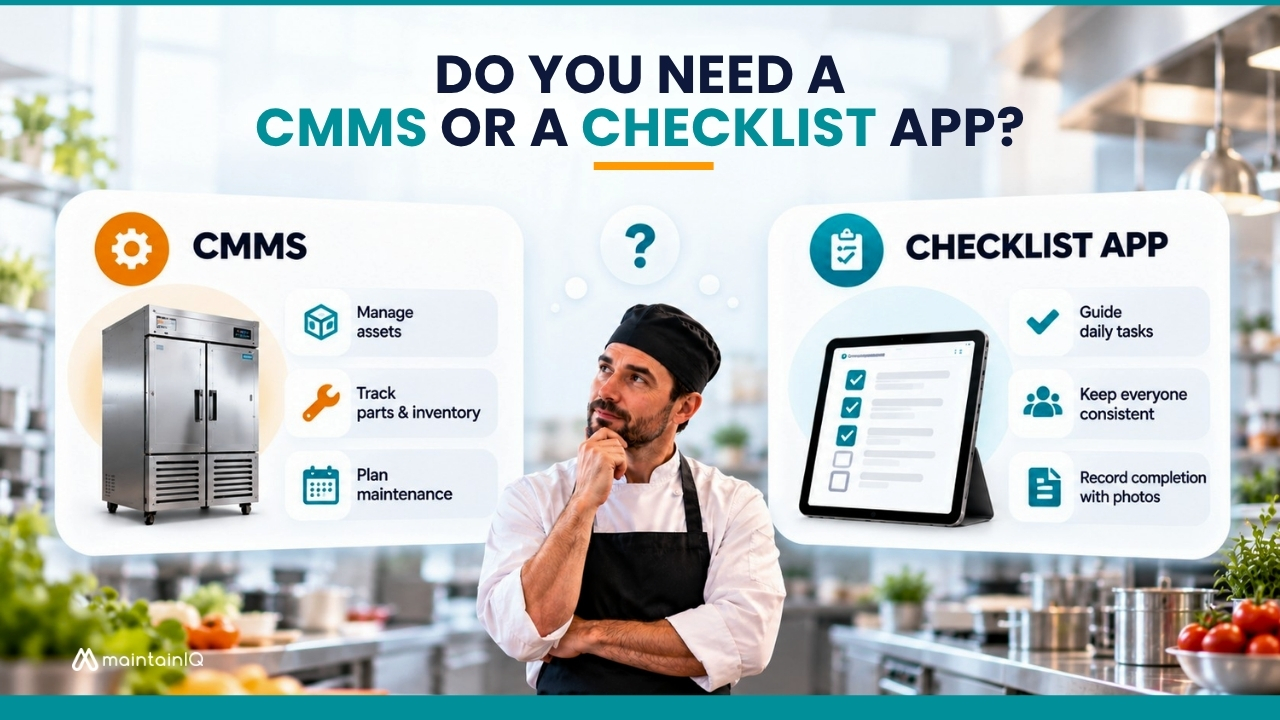
This question comes up constantly, and almost nobody answers it, because most of the people writing about it sell one or the other.
We sell something that does both, which is its own kind of bias, so here is the version with our thumb off the scale. There is a section below on when you should buy a proper CMMS instead of us, and it is a real section.
Table of Contents
The difference in one paragraph
A CMMS, or computerised maintenance management system, is built around equipment. Its central object is an asset, with its service history, maintenance schedule, parts, warranties, and costs attached. It exists to keep machines running and to tell you what they cost you.
A checklist app is built around repetitive work. Its central object is a task that someone has to complete on a shift, on a date, in a place. It exists to make sure the work happens the same way every time and to leave a record proving it did.
They overlap in the middle, which is why the question is confusing. Both can produce a repair ticket. Neither is a substitute for the other at the edges.
Answer these five questions
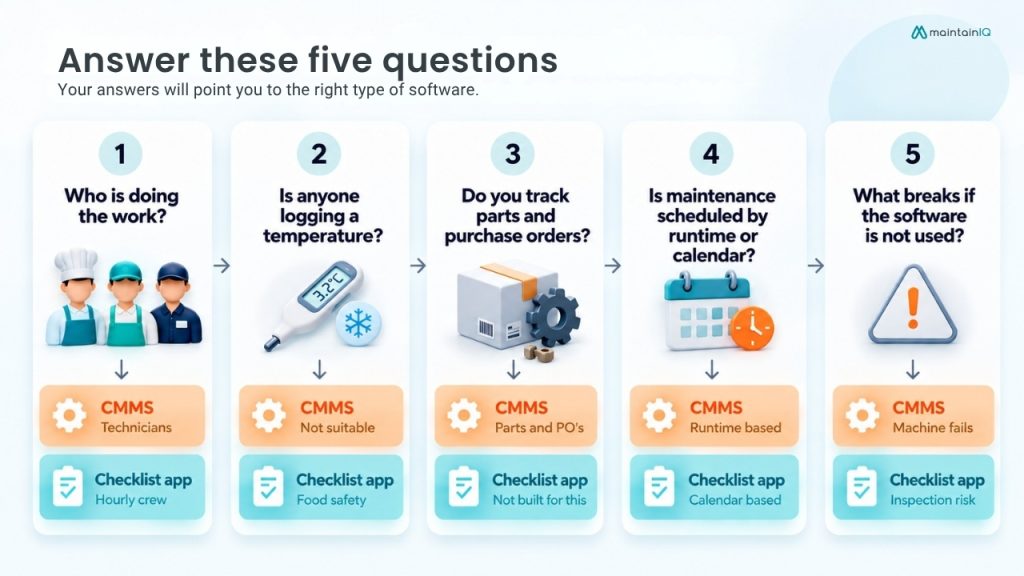
1. Who is doing the work?
If it is technicians, you want a CMMS. If it is an hourly crew during a shift, you want a checklist app. This is the single most reliable indicator, because it decides whether the software has to be usable by someone with two minutes and a shared tablet.
2. Is anyone logging a temperature?
If yes, you need food safety functionality, and general-purpose CMMS products do not have it. They will let you build a form. They will not give you cooling logs, date marking, health inspection formats, or Bluetooth probe capture out of the box.
3. Do you track parts and purchase orders?
If you hold spare parts in stock, reorder against minimum levels, and raise purchase orders against work, you want a CMMS. Checklist apps generally do not do this and are not pretending to.
4. Is your maintenance scheduled by runtime or by calendar?
If equipment needs servicing every 500 operating hours or 10,000 cycles, you need meter-based triggers, which is CMMS territory. If it is monthly, quarterly and annual, most checklist platforms handle that fine.
5. What breaks if the software is not used?
If the answer is that a machine fails, CMMS. If the answer is that a health inspector finds a gap in your records, checklist app.
Where each one is genuinely better
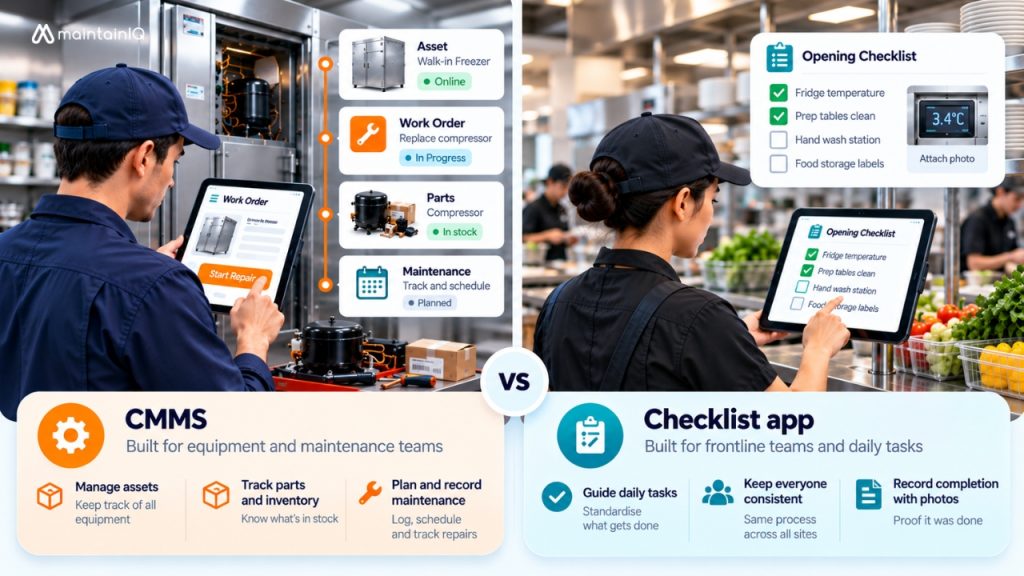
A CMMS is the right answer when
- Maintenance is a department with its own staff and budget
- You need asset hierarchies, so a compressor sits inside a walk-in, which sits inside a store
- Parts inventory and purchase orders matter
- You are tracking cost per asset to decide when to replace rather than repair
- You want mean time between failures and similar maintenance measures
- Your equipment is industrial rather than a commercial kitchen
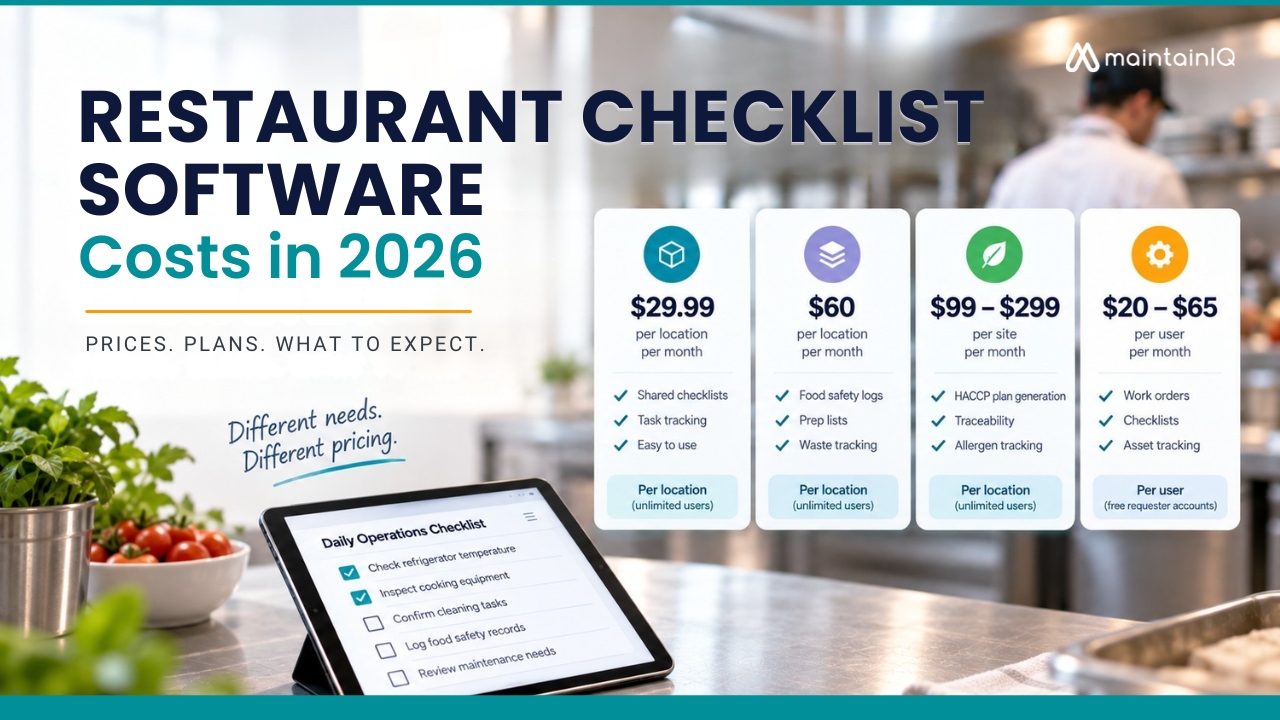
The category leaders are MaintainX, which publishes a free tier plus $20 and $65 per user per month on annual billing with free requester accounts, Limble at $28 and $69 per user per month with guided onboarding included, and UpKeep at $24 and $55 per user per month with implementation billed separately from $500. All three are considerably deeper on pure maintenance than anything built for food service, including us.
A checklist app is the right answer when
- The people doing the work are hourly staff on a shift
- Food safety records are part of the job
- You need the same routine executed identically across several sites
- A regulator, a franchisor, or a corporate team needs to see a clean record on demand
- The main risk is that something did not get done, rather than that something broke
- You have far more staff than managers, and per-user pricing is punishing
Options here include FreshCheq at $60 per location per month, Zip Checklist at $29.99, Mitti at $24 to $29 per seat, and Xenia and Jolt through SmartSense, both quote only.
The middle, and why most food service operators sit in it
Most restaurants, hotels, grocery stores and convenience stores do not fit cleanly into either category, because both things are true at once. The closing crew runs a checklist, and the walk-in needs servicing quarterly, and when a temperature reading fails at nine at night, those two worlds have to connect.
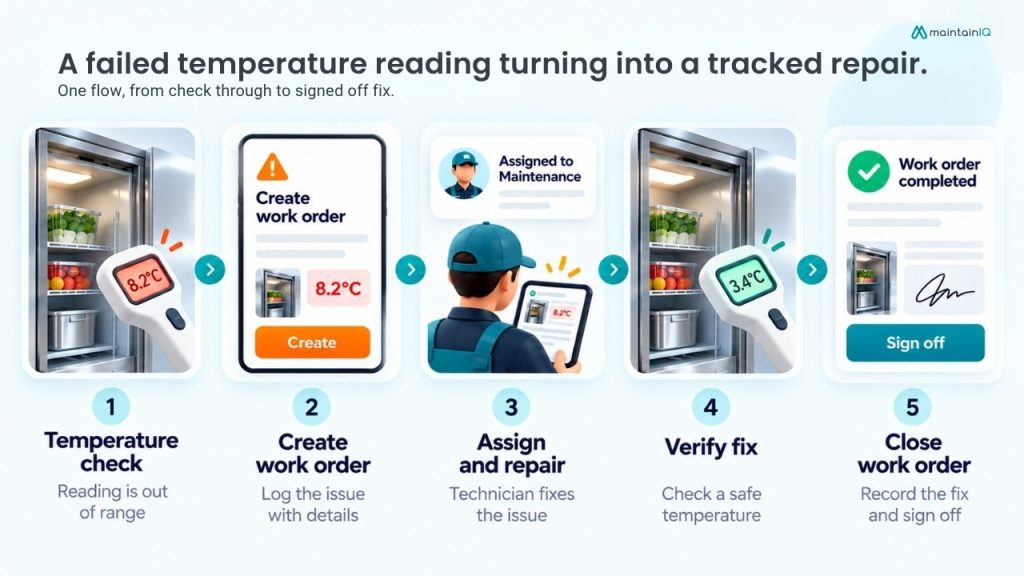
That is the specific gap. A CMMS will happily track the compressor and know nothing about the temperature log that caught the problem. A checklist app will record the failed reading and then leave you to phone someone.
What you actually need in the middle is:
| Need | What it does |
| Daily checklists and temperature logs | Crew can complete them quickly |
| Automatic escalation | A failed check becomes a repair ticket, assigned to a named person |
| Scheduled maintenance | Covers equipment with a service interval |
| Equipment records | Warranty and vendor details attached, so whoever raises the ticket knows who to call and whether it’s still covered |
| One unified record | Shows an inspector both the log and what you did about the failure |
This is what MaintainIQ is built for. Digital checklists, temperature logs with Bluetooth probe capture, inspections, work orders, preventive maintenance schedules, and equipment, vendor, and warranty records, at $79 per location per month or $799 per year with unlimited users. Eight industries have dedicated support, which are restaurants, hotels and resorts, grocery stores, convenience stores, senior living facilities, schools, theme parks, and trampoline parks. It runs in English and Spanish, and support is based in the United States.
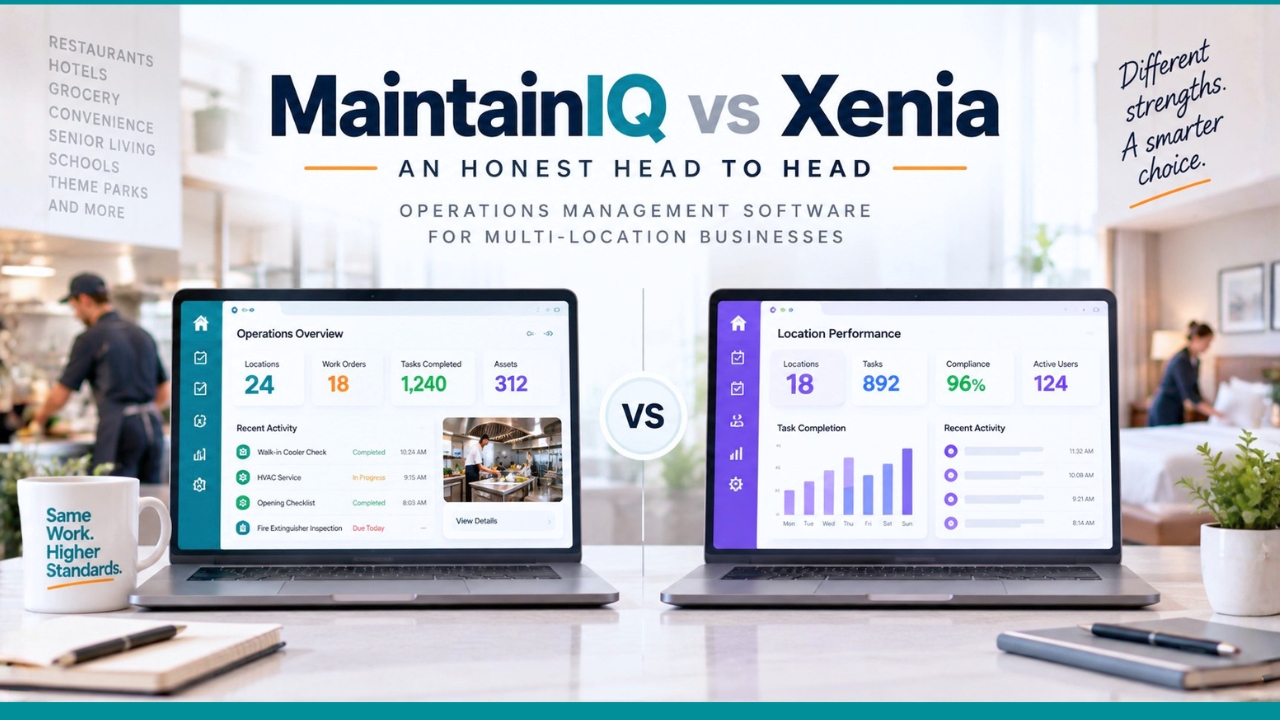
Xenia occupies similar ground with a wider industry range and wireless sensors, though it does not publish pricing.
When you should not buy us
We would rather say this than have you find out in month three.
Buy a proper CMMS instead if maintenance is genuinely the business problem. If you have technicians, parts inventory, purchase orders, meter-based schedules or industrial equipment, MaintainX, Limble and UpKeep go deeper than we do and we would point you to them. We do work orders, maintenance schedules and equipment records well for commercial kitchen and facility equipment. We do not do parts inventory or purchase orders.
Buy a dedicated food safety tool instead if logging is genuinely all you need and budget is tight. FreshCheq at $60 per location per month is $19 cheaper than us and does the logging part properly. The difference is what happens after a failed reading.
Buy an inspection platform instead if the job is audits across a large estate rather than daily work. Mitti or Bindy.
Buy an enterprise suite instead if you need inventory, food cost and labour to reconcile against store execution. Crunchtime or Restaurant365, at materially higher cost, because they are doing materially more.
Can one replace the other
Can a CMMS do food safety? Poorly. You can build temperature forms in most of them. You will not get cooling logs, date marking, health inspection formats, or probe integration, and the interface is designed for a technician rather than a crew member with two minutes.
Can a checklist app do maintenance? Up to a point, and the point is parts. Most handle scheduled tasks and repair tickets. Few handle asset hierarchies, parts stock, purchase orders, or cost per asset. For commercial kitchen equipment, that is usually enough. For a plant, it is not.
Should you run both? Some operators do, and it is a legitimate choice at scale, particularly if you have a real maintenance department and a large hourly workforce with different needs. The cost is that the failed temperature reading and the repair ticket live in different systems, which is exactly the handoff that goes wrong. If you go this way, work out that connection deliberately rather than assuming someone will forward an email.
How to decide in ten minutes
Write down the last five things that went wrong in your business.
If most of them are equipment failures that better servicing would have prevented, buy a CMMS. If most of them are things that did not get done, or got done inconsistently, or could not be proven to an inspector, buy a checklist platform. If the list is genuinely mixed, and for most food service operators it is, buy something that does both and make sure the connection between the two actually works before you sign.
Frequently asked questions
What is the difference between a CMMS and a checklist app?
A CMMS is organised around equipment, with assets, service histories, parts, warranties and maintenance schedules, and is used mainly by maintenance technicians. A checklist app is organised around repeating work, with tasks assigned to people on shifts, and is used mainly by hourly staff and managers. They overlap on repair tickets and diverge everywhere else.
Do restaurants need a CMMS?
Most do not need a full industrial CMMS. Restaurants need scheduled maintenance for kitchen equipment, repair tickets when something breaks, and equipment records with warranty details, but rarely need parts inventory, purchase orders or meter-based scheduling. A food service platform that includes maintenance usually covers it. Large chains with in-house maintenance teams are the exception.
Can I use a CMMS for food safety logs?
You can build temperature forms in most CMMS products, but you will not get cooling logs, date marking, health inspection formats or Bluetooth probe capture, and the interface is designed for technicians rather than crew. If food safety records matter, use software built for it.
Which is cheaper, a CMMS or a checklist app?
It depends entirely on headcount, not on category. CMMS products are almost all priced per user, from roughly $20 to $69 per user per month. Checklist platforms are more often priced per location, from roughly $30 to $99 per location per month with unlimited users. With a small technical team, per user is cheaper. With hundreds of hourly staff, per location is dramatically cheaper.
What software do I need if I have both problems?
Look for a platform that turns a failed check into a tracked repair inside one system, and confirm it handles both sides properly rather than adding a token version of one. Ask any vendor to demonstrate the full sequence from a failed temperature reading through to a signed-off repair, and watch whether it is one flow or two products stitched together.