Digital Task Management for Restaurants, A Guide to Optimizing Restaurant Operations
Digital task management for restaurants gives every task an owner and a due time. Learn what a complete system includes, its benefits and which tools to use.
Key takeaways
- A good task management system tells every staff member what needs doing, how to do it and when it is due.
- Give every task an owner and a due time so managers can see who did what, and when, without chasing people.
- Keep food safety checks, cleaning, preventive maintenance and equipment service history in one system instead of separate binders.
- Paper checklists, spreadsheets and calendar reminders can work for one site, but they get hard to track across shifts and locations.
On this page
Digital task management for restaurants means moving your daily tasks, checklists and repairs from paper into an app, where each task has an owner, a due time and a record of when it was done. Managers can see what is finished and what is late without walking the floor, and staff always know what comes next.
Running a successful restaurant takes good organization, and that can feel like a lot to manage. It does not have to be. Digital task management tools built for restaurants help you stay organized, save time and get more done. Every task is in one place, as it happens, so nothing falls through the cracks.
They also give you reports that show where things are slipping, so you can find areas to improve quickly. With these tools, the kitchen stops feeling chaotic and your operations run like clockwork.
What Is Task Management?
Task management keeps a restaurant’s day-to-day operations running smoothly. It covers assigning tasks, tracking checklists, managing work orders and repairs, and staying compliant.
An efficient task management system tells managers and staff the what, how and when of everything that needs to be done.
Digital task management systems also improve customer service. Staff communicate more clearly and stay focused on their daily tasks.
With an effective system in place, restaurants can reduce overhead costs while still delivering quality meals and experiences to their customers.
An effective task management system should bring three things to your operations:
- Efficiency
- Accountability
- Visibility
What A Complete Task Management System Should Include
There is a lot to consider when it comes to digital task management for restaurants. A complete system should cover your food safety routines, preventive maintenance schedules and the day-to-day work that keeps customers happy. The right tools help teams work together and respond quickly when things change.
Below are some vital elements of an effective restaurant task management system:
- Food safety routines built on the basic food safety principles.
- Due dates and overdue flags for routine inspections.
- Document tracking for compliance reviews.
- Digital temperature monitoring to show food is held at safe temperatures.
- Preventive maintenance schedules.
- Tracking each piece of equipment’s service history.
- Seeing when scheduled upkeep is due or overdue.
- Regular audits of how your operation is running.
- Higher customer satisfaction.
- Better communication between team members.
Temperature checks are a good example of why this matters. The FDA Food Code requires cold food to be held at 41°F (5°C) or below and hot food at 135°F (57°C) or above, and a task system makes sure those checks are done on time and recorded.
With the right digital task management system, restaurants have better control over their day-to-day operations and a strong foundation for long-term success.
Examples of Restaurant Tasks to Manage Digitally
Here is how common restaurant tasks break down by how often they happen. Use it as a starting point for the lists you set up.
| How often | Examples |
|---|---|
| Every shift | Opening and closing checklists, line checks, handover notes |
| Several times a day | Temperature logs for coolers, freezers and hot holding |
| Daily | Cleaning tasks, prep lists, restroom checks |
| Weekly | Deep cleaning of equipment and hard-to-reach areas |
| Monthly or quarterly | Preventive maintenance, internal audits, safety walkthroughs |
| As needed | Repair requests and follow-up tasks from failed checks |
Benefits Of Digital Task Management for Restaurants
Digital task management makes life easier for restaurant owners and managers. It is like having an extra pair of hands for all the routine tasks that need to be done, and it frees up time and energy for the rest of your business.
-
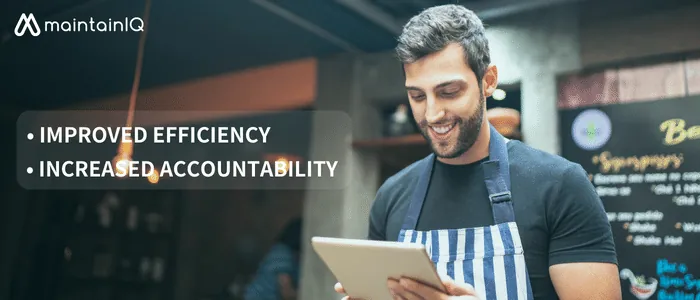
Improved efficiency: An effective task management system saves managers time on every shift. They no longer have to micromanage staff on every task. The process is simpler, and unnecessary work is removed.
-
Increased accountability: Accountability is key to getting tasks done on time and done right. An effective task management system lets managers see who did what, and when.
-
Less retraining: When the what, how and when of every task is written down, managers do not have to keep retraining staff on each job.
-
Higher customer satisfaction: With tasks done on time, managers and staff can focus on food quality and the overall customer experience.
-
Better organization: An effective task management system makes it easier to keep track of tasks, documents, progress and deadlines.
-
Clear communication: An effective task management system removes confusion about what needs to be done, how and when. New and experienced staff are on the same page.
We have seen how much time managers lose chasing tasks on paper, and how much clearer a shift gets when every task has a due time and an owner.
With fewer delays, mistakes and manual work, owners can rest easy knowing their operations are running smoothly.
Tools For Task Management
Managing tasks in restaurants does not have to be complicated. With the right tools, owners and managers can create, assign and track the tasks that keep every shift on schedule.
Restaurant operators use many tools to manage tasks, including paper checklists, Excel spreadsheets and calendar reminders. These work for a single site, but they get hard to follow across shifts and locations.
Forward-thinking operators should look at task management tools built for their industry and use them across the whole operation.
One such solution is MaintainIQ, built for restaurants and other hospitality operators. It is a restaurant task management app that runs daily checklists with due times, work orders, audits and preventive maintenance in one place, and shows who completed each task and when.
Frequently Asked Questions
What Type Of Tasks Can Be Managed With A Digital Task Management System?
Most routine restaurant work fits, including opening and closing checklists, line checks, temperature logs, cleaning, prep lists, audits, equipment maintenance and repair requests. If a task repeats or needs someone to own it, it belongs in the system.
How Difficult Is It To Set Up And Use A Digital Task Management System?
Setting up any task management system takes some time, but the time you save afterward is far greater. Most systems can be set up within a few days to a few weeks, depending on how many checklists, locations and pieces of equipment you need to add.
How Much Does It Cost To Use A Digital Task Management System?
It depends on what the system includes and how it is priced, per user or per location. A complete system should pay for itself through time saved and fewer missed tasks. MaintainIQ, for example, is priced per location with unlimited users, and annual plans come with a 90-day money-back guarantee. See the pricing page for current plans.
Are There Any Additional Software Requirements For Using A Digital Task Management System?
Usually not. Many task management systems work on their own and do not need to connect to a POS or inventory system. MaintainIQ runs on its own, in a web browser and on iPhone, iPad and Android apps, so you can start without changing the other systems you use.
Is There Any Training Required To Use A Digital Task Management System?
An effective task management system should be easy to use. Beyond a short introduction, most staff need little extra training. Look for a solution designed for restaurants and easy enough that your whole team will actually use it every shift.