Equipment Lifecycle Management, When to Repair, Replace, or Schedule Service
Equipment lifecycle management in plain terms: typical lifespans, when to repair, replace or schedule service, and how to track it across every location.
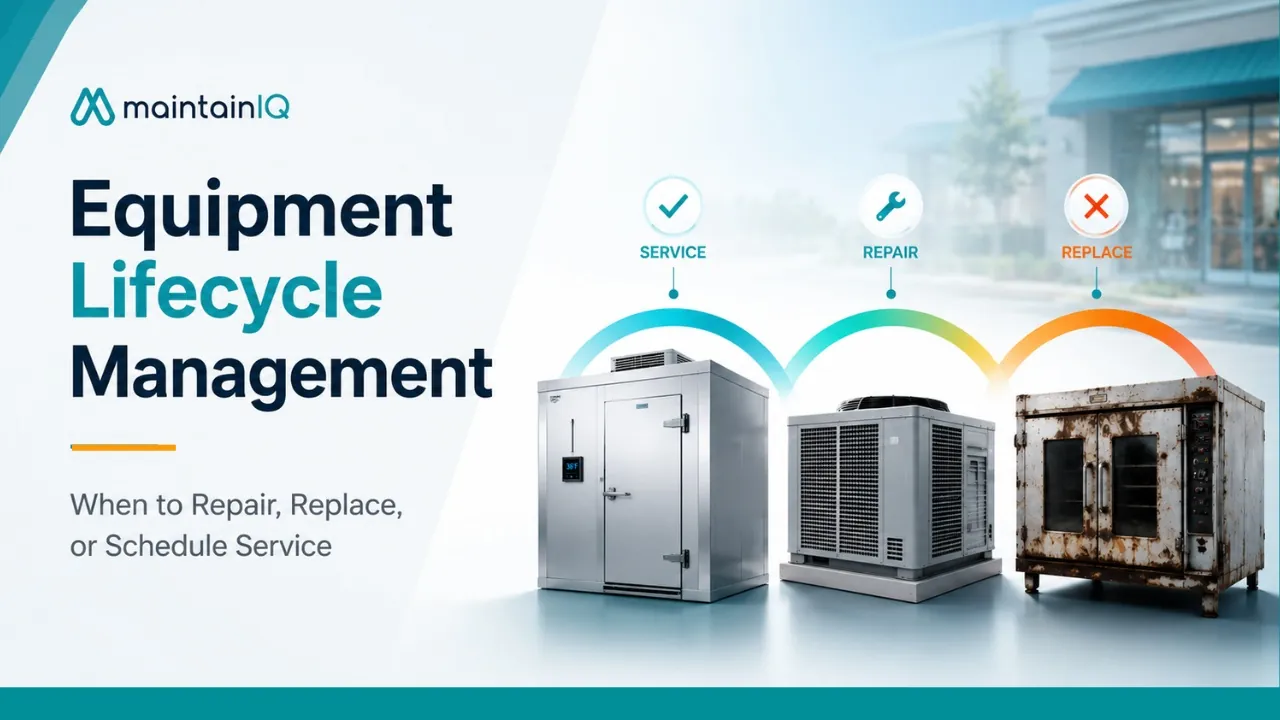
Key takeaways
- If one repair costs more than 50% of a new unit and the equipment is past about 75% of its expected life, replacing it is usually the better buy.
- When repairs over the last 12 months add up to more than 20% of the replacement cost, flag the unit for a replacement review.
- A walk-in cooler that used to hold 35°F and now reads 38°F needs a service call before the drift turns into a compressor failure.
- Build your asset register in order of risk, starting with refrigeration and HVAC, then cooking equipment and fire suppression, then everything else.
On this page
Equipment lifecycle management tells you whether to repair, replace, or schedule service on a piece of equipment based on where it sits in its useful life. Two simple rules do most of the work: replace when one repair costs more than half the price of a new unit on equipment that is past about 75% of its expected life, and review for replacement when a year of repairs adds up to more than 20% of the replacement cost. Everything else in this guide is about getting the data to apply those rules.
Every piece of equipment in your operation has a lifespan. A walk-in cooler installed eight years ago is in a different place than one installed fifteen years ago, even if both are running today. The question isn’t just “is it working?” It’s whether the money you’re about to spend is going toward an asset with years of life left, or one that will fail again in six months.
For multi-location operators managing dozens or hundreds of assets across restaurants, hotels, grocery stores, or other facilities, this isn’t optional. It’s how you control your repair and maintenance spend, prevent service disruptions, and stop paying emergency rates for problems you could have seen coming.
This guide covers the expected lifespans of common commercial equipment, the decision rules that tell you when to repair versus replace, how scheduled service extends equipment life, and how to build a tracking system that makes the right call obvious.
How Long Commercial Equipment Actually Lasts
Equipment lifespan varies a lot based on type, usage volume, and how well it’s maintained. Manufacturer guidance and industry benchmarks give general ranges, but the real life of any given asset can shift by years depending on whether it received consistent preventive maintenance.
| Equipment | Typical lifespan | What extends it |
|---|---|---|
| Walk-in coolers and freezers | 15 years or more | Clean condenser coils, intact door gaskets, regular temperature checks |
| Reach-in refrigerators | 10 to 15 years | Coil cleaning, gasket checks |
| Commercial ovens | 10 to 20 years (convection ovens 10 to 12) | Regular cleaning, part replacement |
| Ranges and grills | 10 to 15 years | Degreasing, burner inspection |
| Deep fryers | 15 to 20 years | Oil filtering, thermostat maintenance |
| Ice machines | 4 to 10 years (most around 7 to 10) | Water filtration, quarterly cleaning |
| Commercial dishwashers | 8 to 12 years | Deliming, rinse arm care, rinse temperature checks |
| HVAC systems | 15 to 20 years | Filter changes, coil cleaning, professional service |
| Elevators | 20 to 25 years (mechanical parts) | Certified inspections, control upgrades |
Refrigeration is the backbone of any food operation. Walk-in coolers and freezers typically last 15 years or more with proper maintenance: clean condenser coils, intact door gaskets, and consistent temperature monitoring. Reach-in refrigerators average 10 to 15 years. Without maintenance, those numbers can be cut in half.
Cooking equipment lifespans vary by type. Commercial ovens last 10 to 20 years depending on usage and cleaning frequency, and convection ovens trend toward 10 to 12 years. Pizza conveyor ovens can reach 15 to 20 years with regular part replacement. Ranges and grills last 10 to 15 years with consistent degreasing and burner inspection.
Deep fryers last 15 to 20 years if the oil is filtered properly and thermostats are maintained. Neglect speeds up grease buildup and creates fire hazards.
Ice machines have one of the shortest lifespans in a commercial kitchen: 4 to 10 years, with most lasting around 7 to 10. Water quality is the single biggest variable. Hard water leaves mineral scale on the evaporator plates and forces the compressor to overwork. Proper water filtration and quarterly cleaning can add years to the unit’s service life.
Commercial dishwashers average 8 to 12 years. Deliming, rinse arm maintenance, and checking the final rinse temperature keep them running well. The FDA Food Code calls for a final sanitizing rinse of at least 180°F on most high-temperature machines. A neglected dishwasher fails sooner and may not reach sanitizing temperatures, which is both an equipment problem and a compliance problem.
HVAC systems last 15 to 20 years in commercial buildings. Monthly filter changes, quarterly coil cleaning, and professional service twice a year are the baseline. Restaurant systems face extra stress from kitchen heat, grease-laden air, and heavy cooling demand during service hours.
Elevators have the longest lifecycle, 20 to 25 years for the mechanical components, though controls and safety systems may need updating earlier. Periodic certified inspections under ASME A17.1 are required regardless.
These are averages, not guarantees. The variable is always maintenance, which is why tracking service history is the foundation of lifecycle management.
The Decision Framework, Repair, Replace, or Schedule Service
When equipment breaks down or starts to slip, the decision often gets made in a hurry: “What’s the cheapest way to get it running again today?” That’s the wrong question. The right one is: “What’s the most cost-effective decision over the remaining life of this asset?”
Three common decision rules help answer that.
| Rule | What to look at | Signal |
|---|---|---|
| The 50% rule | Cost of one repair vs. cost of a new unit, and the unit’s age | Repair over 50% of replacement and age past about 75% of expected life: replace |
| The 20% annual threshold | Total repairs in the last 12 months vs. replacement cost | Over 20%: review for replacement |
| Criticality | Downtime cost, food safety risk, parts lead time, energy use | High impact: lean toward replacing sooner |
The 50% Rule
This is the most widely cited guideline in facility management. If the cost of a single repair exceeds 50% of the cost of replacing the unit, and the equipment has reached roughly 75% of its expected lifespan, replacement is usually the better investment.
The logic is simple. Late-life equipment that needs a major repair is likely to need another major repair soon. You’re paying half the price of new equipment to keep an aging asset running for what may be only another year or two before the next failure.
Example: A 12-year-old reach-in refrigerator (expected life: 15 years) needs a $2,000 compressor replacement. A new comparable unit costs $3,500. The repair is 57% of replacement cost, and the unit is at 80% of its expected life. Replace.
The 20% Annual Threshold
If total repair costs in the past 12 months exceed 20% of the replacement cost, the equipment is telling you it’s entering a failure cycle, even if no single repair crossed the 50% line.
This rule catches the “death by a thousand cuts” pattern: a $300 gasket replacement in March, a $400 thermostat in June, a $250 fan motor in October. Each repair seems reasonable on its own. But $950 in one year on a unit worth $4,000 new means you’ve spent nearly 24% of its replacement cost just to keep it limping along.
This is where maintenance records become essential. Without a complete service history, you can’t see the cumulative spend. You just see each repair as a one-time decision, and you keep approving them until the unit finally dies.
The Criticality Assessment
Not all equipment carries the same operational impact. A broken ice machine is an inconvenience. A failed walk-in cooler during a Friday dinner service is a crisis.
When weighing repair against replacement, factor in:
- Revenue impact of downtime. Equipment on the critical path (primary cooking equipment, walk-in refrigeration, dishwashers) carries more urgency because every hour it’s down costs money.
- Food safety exposure. Refrigeration and hot holding equipment that can’t hold safe temperatures creates compliance risk beyond the repair cost. A walk-in cooler that keeps spiking above 41°F isn’t just unreliable. It’s a potential health inspection violation and a food safety hazard. A digital temperature log shows how often it happens and helps you put a number on the risk.
- Parts availability. A $500 repair that needs a 6-week parts order means 6 weeks of workarounds and disruption. The repair bill may be reasonable; the total cost of downtime often isn’t.
- Energy efficiency. Older refrigeration and HVAC often use far more energy than current models. ENERGY STAR commercial food service equipment is a good place to compare, and the savings from a more efficient unit can offset part of the purchase price over time.
When the Answer Is “Schedule Service”, Not Repair or Replace
Not every equipment problem is a simple repair-or-replace choice. Many issues are caught early enough that the right answer is scheduled preventive service, fixing the condition before it becomes a failure.
This is the space between “it’s running fine” and “it just broke.” Equipment rarely fails without warning. It wears down gradually: temperatures drift, cycle times get longer, noise levels rise, and energy use climbs. Operators who catch these signs early spend less on both repairs and replacements.
Temperature trends are the clearest signal. A walk-in cooler that now reads 38°F when it used to hold at 35°F isn’t broken, but it’s working harder than it should. Dirty condenser coils, a failing fan motor, or a slow refrigerant leak could be the cause. A scheduled service call to find and fix the drift costs a fraction of the emergency compressor replacement that’s coming if you ignore it.
Rising energy bills without operational changes often point to equipment working harder to deliver the same output. HVAC systems, refrigeration, and water heaters are the most common culprits. A professional service visit can find the cause (clogged filters, worn parts, poor calibration) before efficiency drops to the point of failure.
Manufacturer-recommended service intervals exist for a reason. Equipment makers know which components wear and when. Following their recommended preventive maintenance schedule, and writing it down, protects both the equipment and your warranty coverage. Skipping scheduled service is the fastest way to lose a warranty claim when a major component fails.
The link between scheduled service and lifecycle management is direct. Every preventive maintenance task done on time extends useful life and pushes the replacement date further out. Every skipped task speeds up wear and brings the replacement decision forward. A preventive maintenance app keeps track of what’s due so nothing slips.
Building the Tracking System
Equipment lifecycle management only works when you have data on every asset: what it is, when it was installed, how long it should last, what service it has had, and what it has cost you.
Create an asset register
Every piece of equipment at every location needs a record that includes:
- Make, model and serial number
- Installation date
- Purchase cost or estimated replacement cost
- Expected lifespan
- Warranty expiration date
- The vendor or service provider responsible for maintenance
For multi-location operators, this register needs to live in one central place, not in a binder at each store. When a manager transfers to another location, what they knew about that store’s equipment walks out the door with them. A central digital register keeps the information with the asset, not the person.
Log every service event
Every repair, every preventive maintenance visit, and every vendor service call should be logged against the specific asset. The record should include the date, the work performed, parts replaced, cost, technician or vendor name, and any notes about the equipment’s condition.
This history is what makes the 50% rule and the 20% threshold usable. Without it, you’re making repair-or-replace decisions based on the current invoice alone, which is how operators end up spending $3,000 in cumulative repairs on a unit they should have replaced after the second call.
Work order management that links every completed work order to its piece of equipment builds this history as you go. Over time, you can pull up any piece of equipment and see its complete service timeline, total spend to date, and remaining expected life.
Set replacement planning triggers
Don’t wait for equipment to fail before you plan its replacement. Set review points based on:
Age thresholds. When an asset reaches 75% of its expected lifespan, flag it for review. That doesn’t mean replacing it right away, but it does mean closer budget attention and service monitoring.
Cumulative spend thresholds. When total repair costs in a rolling 12-month period exceed 20% of replacement cost, flag the asset for a replacement review.
Performance thresholds. When your checks show declining performance (rising temperatures, longer cycle times, higher energy use), schedule a diagnostic service visit. Then decide whether the trend can be fixed or means the unit is near the end of its life.
These triggers turn replacement from a surprise expense into a planned capital decision. You can budget for it, schedule it during a slow period, and make the switch without the chaos of an emergency breakdown.
Multi-Location Lifecycle Management
For operators managing equipment across five, ten, or fifty-plus locations, the challenge grows. You’re not tracking one walk-in cooler. You’re tracking dozens, and they’re all at different stages of their lifecycle.
Standardize your asset data across all locations. Use the same naming, the same expected lifespan benchmarks, and the same decision thresholds everywhere. This lets you compare locations and spot patterns. For example, one location whose refrigeration keeps failing early might have an environmental problem (poor ventilation, high room temperature) rather than an equipment problem.
See every location in one place. Multi-location reporting that shows equipment age, service history, and upcoming replacement triggers across all locations lets operations leaders make decisions for the whole group. If 8 of your 20 locations have HVAC systems past 75% of expected life, that’s a capital planning conversation, not 8 separate surprise failures waiting to happen.
Coordinate vendors and warranties. When you know which assets are nearing replacement across several locations, you can negotiate volume pricing with equipment vendors and schedule installations across stores in an orderly way, instead of paying full price on emergency one-off purchases.
Connect lifecycle data to daily operations. When your daily digital checklists include equipment condition checks, and your preventive maintenance program feeds completed work orders back to the asset register, your lifecycle data stays current without anyone keeping a separate spreadsheet. Normal daily work keeps it up to date.
Getting Started
You don’t need a perfect asset register on day one. Start with the equipment that matters most: the assets where a failure causes the most disruption and the highest cost.
Start with refrigeration and HVAC. These are the most expensive assets to repair and replace, the most likely to cause food safety or comfort problems when they fail, and the ones that respond best to preventive maintenance. Log their age, service history, and current condition. Set up automated work orders for recurring maintenance on each of them.
Add cooking equipment and fire suppression next. These carry compliance requirements and high replacement costs. Hood and exhaust systems, for example, have set inspection intervals under NFPA 96, from monthly for solid-fuel cooking to quarterly for high-volume kitchens.
Expand to all assets over time. Dishwashers, ice machines, water heaters, plumbing fixtures, elevators, exterior equipment: build the register gradually as each asset gets its next service.
Conclusion
Equipment doesn’t fail without warning. It wears down gradually, in ways you can measure, over a lifecycle you can track if you have the right system in place.
The operators who spend the least on maintenance aren’t the ones who avoid repairs. They know where each asset sits in its lifecycle, catch declining performance before it becomes a breakdown, apply the same decision rules to every repair-or-replace call, and plan replacements as budgeted capital projects instead of emergency expenses.
A walk-in cooler doesn’t care how busy your Friday night is. It will fail when the compressor gives out, whether that’s an event you planned for or a surprise that costs you triple. The difference is whether you were tracking the data or hoping for the best.
MaintainIQ’s equipment maintenance software gives each piece of equipment a record with its service frequency, next due date, service history, warranty expiry and preferred vendor, and lets you create a work order straight from the equipment. Every location’s preventive maintenance and open work orders show on one dashboard, and pricing is per location with unlimited users.