Document Management for Restaurants - Organizing Licenses, Permits & Compliance Records
Document management for restaurants in plain terms. Which licenses, permits and records to keep, how long to keep them, and how to track every renewal.
Key takeaways
- Keep every license, permit, certification, contract and compliance record in one digital place, sorted by category and location.
- Record each expiration date and set reminders well ahead of it, because some licenses, like liquor licenses, can take months to process.
- The IRS generally recommends keeping records that support tax returns for at least three years, and up to seven for certain claims.
- Start with an inventory of every document and its renewal date, since that alone often turns up something close to expiring.
On this page
Document management for restaurants means keeping every license, permit, certification and compliance record in one organized place, knowing when each one expires, and being able to show any of them the moment an inspector asks. In practice that comes down to four jobs: store everything centrally, track renewal dates, control who can see what, and produce records on demand.
Every restaurant runs on a stack of documents that most operators only think about when something goes wrong. The business license, the health permit, the liquor license, the certificate of occupancy, the food handler cards, the fire inspection certificate, the equipment warranties, the vendor contracts, the temperature logs, the cleaning records: each one is either permission to operate or proof that you are operating correctly.
The problem is what happens when those documents are not organized. A liquor license lapses because nobody tracked the renewal date, and the restaurant cannot serve alcohol on its busiest weekend. A health inspector asks for 30 days of temperature logs and the manager spends 20 minutes digging through a binder. An employee’s food handler card expired three months ago and nobody noticed until the inspection.
The consequences can be serious. Operating without a valid health permit can lead to an immediate shutdown and fines, and serving alcohol on a lapsed liquor license can bring heavy fines and even criminal charges, depending on where you operate.
These are not exotic scenarios. They are the predictable result of managing critical documents with file folders, email attachments and memory. This guide covers what documents restaurants must keep, how long to keep them, the renewal deadlines that matter most, and how to organize all of it so nothing lapses and everything is there when you need it.
The Documents Every Restaurant Must Manage
Restaurant documentation falls into a few broad categories, each with its own renewal cycles, retention requirements and consequences if you fall behind.
| Category | Examples | How often it changes |
|---|---|---|
| Operating licenses and permits | Business license, health permit, certificate of occupancy, liquor license, sales tax permit | Most renew every year; some only after changes like renovations |
| Employee documentation | Food handler cards, food manager certification, training records, I-9s and tax forms | Each card or certificate expires on its own date |
| Compliance and inspection records | Health inspection reports, fire certificates, temperature logs, cleaning and pest control records | Added daily, weekly or after each inspection |
| Operational and financial documents | Warranties, service records, vendor contracts, insurance policies, lease | Renew on contract or policy dates |
Operating Licenses and Permits
These are the documents that give you legal permission to operate. Without a current one, you may not be able to open your doors.
Business license. The basic license to operate a business in your city or county. Typically renewed every year. The cost depends on your city or county.
Food service/health department permit. Authorizes you to prepare and serve food. Issued by your local health department (usually the county, not the state), it confirms your restaurant meets food safety standards. It is renewed every year and tied to passing periodic health inspections. This is the permit whose absence can shut you down immediately.
Certificate of occupancy (CO). Official confirmation that your premises meet building and safety codes. Required before opening, and often required again after renovations. Insurers and lenders frequently ask for it too.
Liquor license. Required if you serve alcohol, issued through your state’s alcohol beverage control (ABC) board. These are among the most expensive and most tightly regulated licenses. Costs vary widely, processing can take months, and in some places the number of available licenses is capped. A lapsed liquor license is one of the most financially damaging documentation failures a restaurant can make.
Building health permit. Covers structural and building compliance, such as ventilation, pest control and waste disposal. Separate from the food service permit in many jurisdictions.
Sales tax permit/seller’s permit. Authorizes you to sell taxable goods and collect sales tax. Issued by your state’s tax authority.
Sign permit, music license, and other local permits. Depending on your location and operation, you may need a sign permit, a music license for playing recorded or live music, an outdoor seating permit, a valet permit and others.
Employee Documentation
Food handler/food worker cards. Many jurisdictions require food service employees to hold current food handler certifications. These expire and must be renewed, and an employee working with an expired card is a citable violation.
Food manager certification. Most jurisdictions require at least one certified food protection manager (often ServSafe-certified) on staff. The certification has an expiration date.
Employee health records. Records of your illness reporting policy and any health-related requirements for food handlers. The FDA Employee Health and Personal Hygiene Handbook explains what a policy should cover.
Training records. Proof that employees have completed required food safety, alcohol service (where it applies) and workplace safety training.
Employment eligibility and tax forms. I-9 forms, W-4s and related employment paperwork have their own federal retention requirements.
Compliance and Inspection Records
Health inspection reports. Records of past health department inspections, including any violations cited and how each one was fixed.
Fire inspection certificates. Records of fire marshal inspections, fire suppression system service (NFPA 17A), hood cleaning under NFPA 96, and fire extinguisher maintenance under NFPA 10, which calls for a monthly visual check and annual maintenance.
Temperature logs. Daily records of cold holding, hot holding, cooking, cooling and receiving temperatures. Health inspectors routinely ask for these going back weeks or months.
Cleaning and sanitation logs. Records showing that cleaning schedules are followed.
Pest control records. Service records from your pest control vendor, plus any in-house monitoring notes.
Fix and follow-up records. A record of each problem found and how it was resolved. This is a core part of any food safety management system.
Operational and Financial Documents
Equipment warranties and service records. Warranty documents, service contracts and maintenance history for every major piece of equipment.
Vendor contracts and certificates. Supplier agreements, certificates of insurance from vendors, and food safety certifications from suppliers.
Insurance policies. General liability, property, workers’ compensation and liquor liability policies, with their renewal dates.
Lease and property documents. The property lease, any amendments and related agreements.
Retention: How Long to Keep Each Document
Different documents carry different retention requirements, driven by tax law, employment law, health regulations and liability. Requirements vary by jurisdiction, so check with your accountant and attorney, but general guidance includes:
| Document type | General guidance |
|---|---|
| Tax records | At least three years, up to seven for certain claims (IRS guidance) |
| Employment records | Set by federal law; I-9s for a set period after employment ends |
| Temperature, cleaning and inspection records | Often one to three years; longer gives more protection |
| Incident and liability records | Well beyond standard periods |
| Licenses and permits | Current versions always on hand; keep expired ones too |
Tax records. The IRS generally recommends keeping records that support tax returns for at least three years, though some situations call for longer (up to seven years for certain claims).
Employment records. Federal law sets various retention periods. I-9 forms must be kept for a specific period after employment ends, and payroll records have their own requirements.
Health and safety records. Temperature logs, cleaning records and inspection records should be kept long enough to show a pattern of compliance. Daily logs may only need to be kept for a set period (often one to three years), but keeping them longer protects you if someone makes a foodborne illness claim.
Incident and liability records. Anything related to an injury, illness or incident should be kept well beyond standard periods, because lawsuits can come years after the event.
Licenses and permits. Keep current versions easy to reach at all times, and keep expired versions as a record of continuous compliance.
The practical rule: when in doubt, keep it longer, and keep it organized. Storage costs are trivial compared to the cost of not having a document you need.
The Renewal Problem: Why Documents Lapse
The most common, and most preventable, documentation failure is the lapsed renewal. A license or certification expires because no one was tracking the deadline.
This happens for a simple reason: renewal dates are scattered. The business license renews on one date, the health permit on another, the liquor license on another, each food handler card on its own date, fire suppression service on its own schedule, and insurance policies on theirs.
No single person holds all these dates in their head. When they live in separate files, emails and folders, there is no single view of what is coming due.
The result is renewal by crisis. The fire suppression system’s service tag expired months ago, and nobody caught it until the fire marshal did. The health permit renewal notice got buried in the email. A new hire’s food handler card was never tracked, and it surfaces during an inspection.
The fix is to put every document and its renewal date in one place, with reminders set well before each deadline. Instead of relying on someone to remember dozens of scattered dates, the responsible person gets a heads-up in advance, and renewal turns from a recurring crisis into a routine task.
Why Paper and Email Fail at Document Management
Most restaurants manage documents the way they always have: a binder or filing cabinet for the physical licenses, an email folder for the digital ones, and a manager’s memory for the renewal dates. This works until it does not, and the ways it fails are predictable.
| Paper, email and memory | One digital document system | |
|---|---|---|
| Storage | Easy to damage or lose (coffee spills, misplaced binders) | Stored online and reachable from anywhere |
| Tracking | Relies on memory and sticky notes | Renewal reminders set well before each deadline |
| Retrieval | Time spent digging through a filing cabinet or inbox | Searchable and ready in seconds |
| Access | Locked in a back-office drawer | Owners can open documents when they are off-site |
| Multiple locations | No view beyond the store you are standing in | Document status for every location in one place |
Documents get lost or damaged. A binder in a back office gets coffee-stained, misplaced or thrown out. The single physical copy of a permit disappears, and replacing it means a trip to a government office and a delay.
Renewals lapse. With no central tracking and no reminders, deadlines slip. The cost of a single lapsed liquor license or health permit dwarfs the cost of any document system.
Retrieval is slow. When a health inspector or insurance auditor asks for records, finding them in a filing cabinet or email archive means time spent searching instead of running the restaurant.
There is no multi-location view. For operators running several restaurants, paper and email make it impossible to see document status across locations. Is every location’s health permit current? Are all food handler cards up to date at every site? Without one central place, the only way to know is to check each location one by one.
Access is limited to one place. A paper file can only be read where it sits. When the owner is off-site and the document is in a drawer, nobody can get to it.
Our guide to electronic document management for restaurants goes deeper on moving off paper.
Building a Document Management System That Works
An effective restaurant document management system does four things: it centralizes storage, tracks renewals, controls access and produces records on demand.
Centralize Every Document Digitally
Every license, permit, certification, contract, warranty and compliance record should be stored in one digital system: scanned, uploaded and organized by category and location. This ends the lost-document problem and means there is always a backup of every critical record.
Digital document management keeps everything in one place, reachable from anywhere, with no single physical copy to lose.
Track Renewals With Automated Reminders
Every document with an expiration date should have that date recorded, with reminders set well before the deadline. Leave enough time for processing, which for some licenses can take months. This is the most valuable job of document management: making sure nothing lapses.
Connect Documents to Operations
Document management works best when it is connected to the daily work that creates compliance records. A food safety program that uses digital checklists and digital temperature checks creates its records as it goes: every completed check, every temperature reading and every fix becomes a time-stamped record.
Instead of keeping temperature logs as a separate paperwork task, the logs are a byproduct of doing the checks digitally.
In the same way, equipment maintenance tracking and work order systems build service history and warranty records as the maintenance gets done. The paperwork is not a separate chore. The work itself creates it.
Make Records Audit-Ready
When a health inspector, fire marshal or insurance auditor asks for documents, you should be able to produce them in seconds, not hours. With organized, searchable, time-stamped digital records, the answer to “show me your last 90 days of temperature logs” or “show me your current fire suppression service certificate” is immediate, not a scramble through filing cabinets.
It also helps to know what each kind of visit looks for. See internal audits vs. health department inspections for how to prepare for both.
Multi-Location Document Management
For operators running several restaurants, document management gets harder with every location. Each location has its own business license, health permit, certificate of occupancy, fire certificates and employee certifications, and each renews on its own schedule.
One view across all locations. Multi-location reporting lets you see compliance status across every restaurant from one screen. Which locations have permits coming due? Which have lapsed food handler cards? Which are missing a current fire inspection certificate? You cannot see this with paper or location-by-location files.
Standard document requirements. Every location should keep the same categories of documents, organized the same way. That makes it possible to check that every location is complete, and to spot quickly when one is missing something.
Combined renewal tracking. Instead of each location tracking its own renewals separately (and inconsistently), keep every renewal date for every location in one place, with reminders going to the right person at each site and the head office able to see the whole picture.
Faster response to issues. When a new rule requires a document update, or a vendor’s certificate of insurance expires, you can find every affected location immediately and deal with it everywhere at once, instead of discovering the gap one location at a time.
Getting Started
Start by listing every document your restaurant must keep (every license, permit, certification, contract and recurring compliance record) along with its renewal or expiration date. This list alone often turns up documents that are closer to expiring than anyone realized.
Then centralize everything digitally. Scan and upload physical documents, organize them by category, and record every renewal date with a reminder. Connect your daily systems (checklists, temperature checks, maintenance) so compliance records build up on their own. And if you run several locations, spot problems across all your locations from one view, so document status at every restaurant is always in sight.
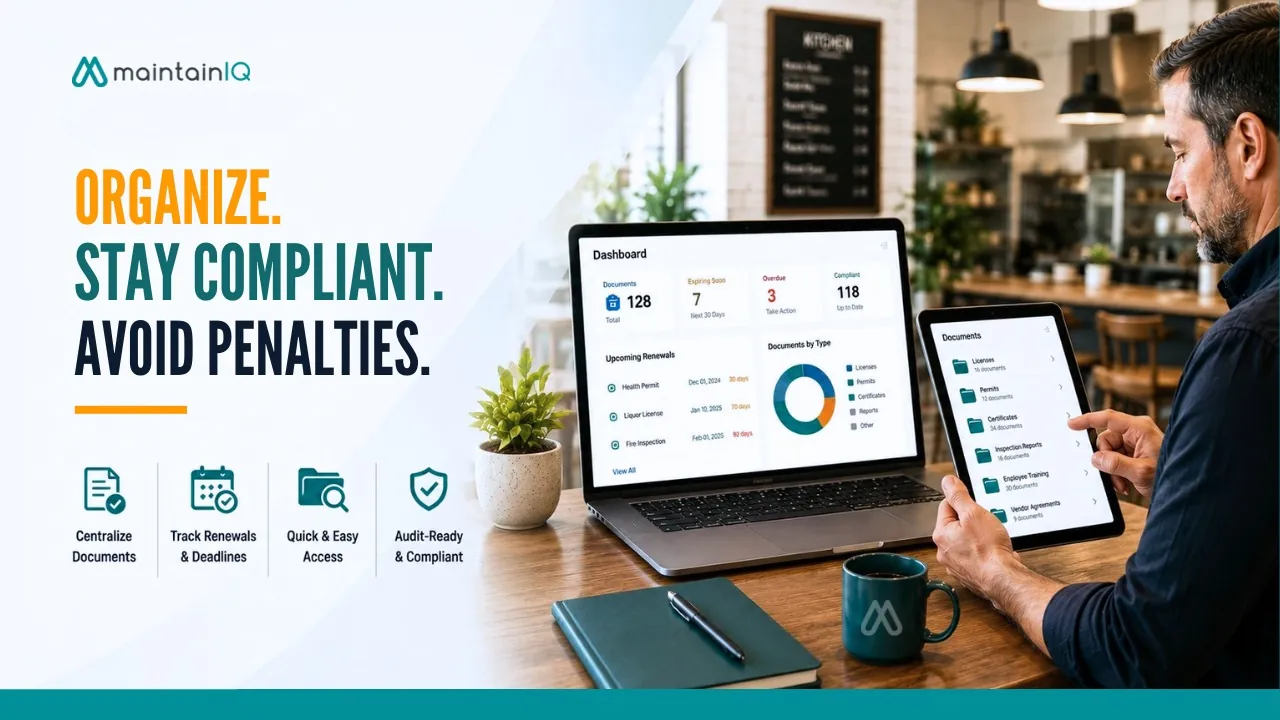
MaintainIQ brings a document management system with folders for licenses, permits and training documents together with digital checklists, temperature logs, equipment maintenance and multi-location reporting. Every completed checklist and temperature log becomes a record showing who did it and when, ready for an audit at any location.
Conclusion
The documents that keep a restaurant legal and compliant are easy to ignore, right up until the moment one of them is missing, expired or impossible to find. A lapsed permit, an expired certification or a stack of temperature logs that cannot be found turns a routine inspection or renewal into a crisis that costs money, time and sometimes the ability to operate.
Organized document management is not about being tidy. It is about protecting the restaurant from failures you can prevent: the lapsed renewals, the lost records, the gaps that surface at the worst possible moment. When every license is tracked, every renewal is flagged in advance, and every compliance record is created as the work gets done and stored where you can find it, document management stops being a risk and becomes one less thing that can go wrong.
The documents are going to be required whether you are organized or not. The only question is whether they are working for you, or waiting to catch you off guard.