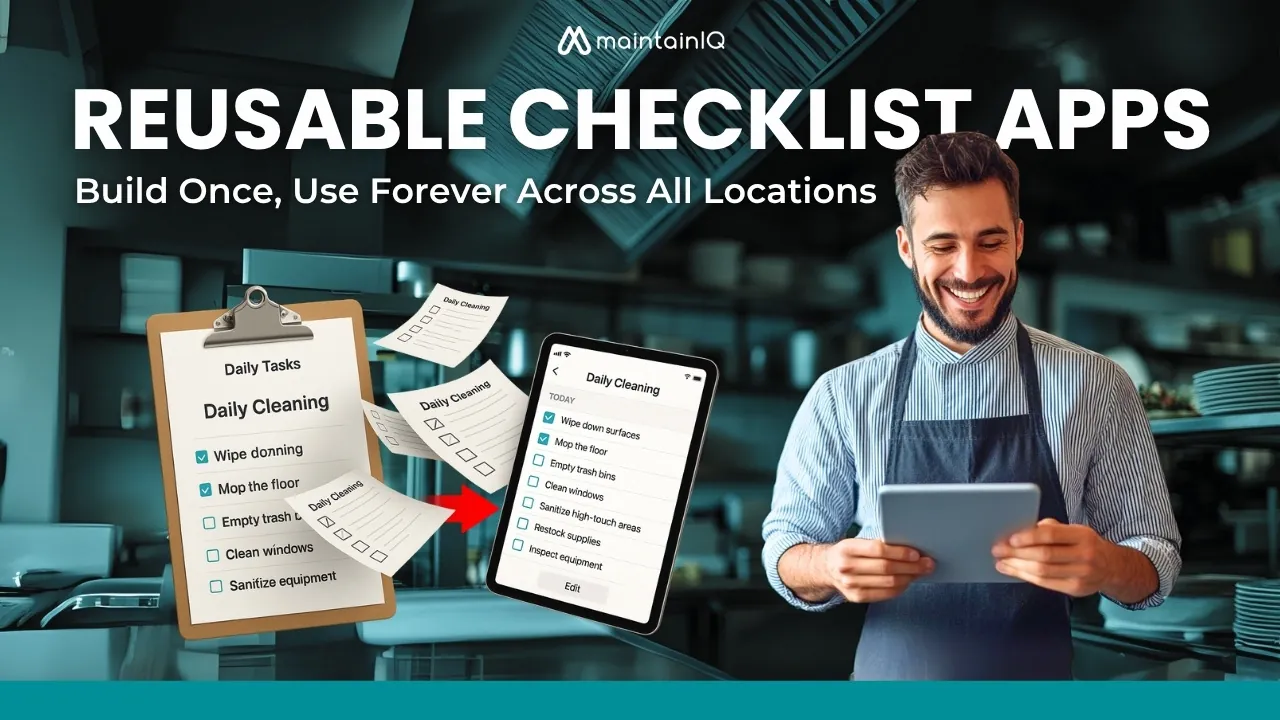
Reusable Checklist Apps, Build Once, Use Forever Across All Locations
Reusable checklist apps let you build a checklist once and run it at every location. Learn what features to look for and how to switch from paper.
Key takeaways
- Build each checklist once as a master template and run that same version at every location instead of rewriting it by hand.
- Sort templates by frequency (daily, weekly, monthly, seasonal) and use consistent names so staff can find the right one fast.
- Look for version control that updates every location at once, lets you roll back a bad change, and shows what changed and when.
- Track completion time, missed steps and how fast new hires work on their own, then weigh the hours saved against the subscription cost.
On this page
Reusable checklist apps let you build a checklist once and run the same version at every location, every shift, instead of rewriting it by hand. When you improve the checklist, every site works from the updated version, so standards stay the same everywhere and you keep a record of who completed each task.
How many hours does your team spend recreating the same checklists week after week across different locations? You’re paying employees to reinvent the wheel while consistency crumbles and errors multiply.
Paper checklists and single-use digital lists trap useful operational knowledge in one place, forcing each site to start from scratch. The organizations that get this right treat checklists as permanent assets instead of daily chores. How you set them up determines everything.
The Hidden Cost of Recreating Checklists Daily
Every day your team manually recreates the same operational checklists across different locations, you lose time on a job that should take a couple of minutes.
Recreating checklists also introduces differences in task order and completion standards, creating performance gaps that show up in food quality, cleanliness and inspection results.
Manual copying errors make it worse. Every time someone rewrites a checklist, there is a chance a step gets dropped or ends up in the wrong order.
Time Waste and Inconsistency Across Locations
Every morning, managers across retail chains, restaurants and service locations spend time recreating the same operational checklists from memory or scattered notes.
This repeated work multiplies across every location you run, and it adds up fast. You lose hours to manual copying while inconsistencies creep into operations.
When each location interprets standards differently, brand quality suffers. One store’s “deep clean” becomes another’s “quick wipe.” Training becomes impossible when procedures vary by location and by the manager’s memory.
Breaking this cycle takes standardized, reusable digital checklists that keep every location working to the same standard.
Human Error in Manual Recreation
When your team recreates checklists from scratch each day, critical steps get missed, changed or misremembered.
Manual copying breeds chaos. Safety steps become suggestions, quality standards shift between shifts, and compliance requirements disappear into memory gaps.
You’re playing telephone with your operating procedures, where each rewrite introduces new variations and new mistakes.
Your team spends mental energy remembering sequences instead of doing the work well. Every handwritten list becomes a liability, and every “quick shortcut” a potential problem.
A reusable checklist breaks this cycle and makes your operation reliable again.
What Makes a Checklist App Truly Reusable?
You’re looking for specific features that turn a basic checklist tool into something that saves you time rather than creating more work.
The most effective reusable checklist apps offer template libraries where you can store, organize and share your proven checklists with team members or across locations.
They also include version control that lets you update master templates while keeping historical records, without disrupting checklists that are already in use.
Template Libraries and Shareable Features
Basic checklist functionality might meet your immediate needs, but true reusability comes from template libraries and easy sharing.
You need a platform that lets you create a standard checklist once, then make it available to every team and location.
Look for tools that let several people edit a template and that keep version control, so everyone works from the same updated procedure.
Usage reports should show which templates get used and completed, helping you see which checklists drive results.
The best apps turn individual checklists into shared organizational knowledge, so every team runs the same way.
Version Control and Update Management
Every checklist rollout faces the same challenge: keeping checklists accurate and consistent as processes change.
A good update process needs three capabilities:
- Automatic updates. Changes reach all locations without anyone copying them by hand.
- Rollback protection. You can go back to a previous version when a change creates problems.
- Change tracking. A clear history shows what changed, when and why.
Good version management turns checklists from static documents into living tools that change with your business while keeping every location to the same standard.
Essential Features of Reusable Digital Checklist Software
When evaluating reusable checklist apps, look for software that turns your routines into repeatable digital templates through clone and deploy functionality. This core feature lets you copy proven checklists, so you never recreate a process from scratch when you open a new location or start a new cycle.
Your chosen platform should also work across Android, iPhone and the web, so your team can complete checklists on whatever device they have, wherever they are.
Clone and Deploy Functionality
As your organization grows and standardizes processes across teams, you need checklist software that can copy proven checklists without rebuilding them. Clone and deploy saves you from repetitive setup while keeping every location consistent.
Clone and deploy capabilities to look for:
- Template copying. Turn a master checklist into a template you can use at every location.
- Central settings. Control who can edit, who completes, and how each checklist runs from one admin screen.
- Fast rollout. Push updates and new checklists to multiple teams at once without copying them by hand.
Cross-Platform Compatibility (Android, iPhone, Web)
Why should your team’s productivity depend on which device they happen to be using? Cross-platform compatibility frees your team from device limits, so people can switch between Android phones, iPhones and web browsers.
A technician can start on a phone and finish reviewing on a desktop computer. Syncing across devices keeps every screen on the same current version and prevents the data gaps that slow teams down.
A consistent experience means no retraining when team members switch devices. Your checklists become universal tools, available anywhere, anytime.
Avoid platform limits that restrict your operation’s flexibility and your team’s performance.
Implementation Guide: From Paper to Digital
You need a step-by-step approach to move from paper to digital checklists that get results.
Success depends on three phases: building strong master templates that capture your organization’s best practices, training teams on the new checklists, and setting measures to track adoption and results.
This approach lowers the risk of a messy rollout and gets you a return sooner, because people adopt the system faster and processes improve right away.
Create Your Master Template Library
Once you’ve identified your most important recurring tasks, a complete master template library becomes the foundation for lasting productivity gains. Well-planned templates turn scattered routines into consistent operations at every location. You can start from free checklist templates instead of a blank page.
Your template structure should prioritize:
| Priority | What to do | Why it helps |
|---|---|---|
| Categorize by frequency | Group checklists as daily, weekly, monthly and seasonal | Staff know what is due and nothing gets scheduled twice |
| Standardize naming | Use the same naming pattern everywhere (for example “Opening, Kitchen”) | Anyone at any location can find the right checklist fast |
| Build modular sections | Create sections you can reuse in different checklists | Checklists adapt to each area while core requirements stay the same |
This approach saves you from reinventing processes, improves efficiency, and makes sure nothing falls through the cracks.
Train Teams and Monitor Performance
After you set up your template library, success depends on training and on tracking performance. It also helps to use digital checklists to improve team communication between shifts.
- Create role-specific training so each person knows exactly which checklists are theirs.
- Focus on hands-on practice where teams complete real checklists during a normal shift.
- Track completion rates, missed items and how long new staff take to work on their own, so you spot knowledge gaps quickly.
- Onboard new team members with short, bite-sized lessons that build confidence step by step.
- Watch the numbers across locations to spot inconsistencies and step in before problems grow.
This data-driven approach helps your teams learn the system and keep quality standards high without you watching over every shift.
ROI and Best Practices
Measure your checklist app’s success with concrete numbers like time spent per task and how often steps are missed.
Calculate ROI by comparing the hours recovered against subscription costs, and track how daily and weekly template use affects overall productivity.
Good template management means keeping high-frequency daily checklists short and fast, while designing more detailed weekly templates for broader oversight.
Time Savings and Error Reduction Metrics
Reusable checklists should deliver improvements you can measure. Record a baseline on paper for a few weeks before you switch, then compare.
Track these metrics:
| Metric | What it measures |
|---|---|
| Task completion time | How long a standard checklist takes from start to finish, before and after the switch |
| Error rate | How often steps are missed, done late or failed on inspection |
| Training time | How long new team members take to complete checklists correctly on their own |
Measuring these turns the benefits of reusable checklists from a hunch into something you can show.
Managing Daily vs Weekly Checklist Templates
Daily checklists drive the tasks that must happen every shift, while weekly templates give you broader oversight that pays off over time.
Structure your daily task management around recurring needs: opening routines, quality checks and closing tasks.
Weekly checklists should focus on reviews, internal audits and performance checks that inform bigger decisions.
Daily templates catch problems right away, while weekly ones reveal patterns and chances to improve.
Used together, they turn routine compliance into an advantage through steady, measurable improvement.
How MaintainIQ Transforms Reusable Checklists
MaintainIQ is built around shared checklists: you build a checklist once and run the same digital checklist at every location that uses it.
Because one checklist runs at every location that uses it, every location works from the same version, which removes version confusion and keeps things consistent.
Build Once, Run at Every Location
One thorough maintenance checklist, built once, can run across your entire operation. Reusable checklists remove the bottleneck of recreating procedures for each location or team.
- Create once. Build the checklist with your exact items, yes/no checks and due times.
- Use everywhere. Run the same checklist at as many locations as you operate, without recreating it.
- Grow easily. Add new sites without starting from scratch.
Each location’s view shows the current status, when the checklist was last completed and who submitted it.
One Update Reaches All Active Checklists
Templates mean little if your active checklists go out of date the moment you find a better procedure. You need one shared version of each checklist, so an improvement reaches every location that runs it.
When you refine a safety step or update equipment details, one shared checklist means every team member works from the same version, and supervisors and managers at other sites see the same current checklist too. Every location runs the same checklist, so the latest standard is the one in use.
Industry-Specific Pre-Built Templates
Generic checklists make you start from scratch. The free checklist templates on MaintainIQ.com give you proven starting points for your type of business:
- Restaurant templates include opening and closing routines, walk-in cooler checks and health inspection prep.
- Facility templates cover HVAC, roof, electrical panel and forklift inspections.
- Retail and hospitality templates include grocery opening and closing procedures, hotel guest room inspections and housekeeping standards ready to adapt.
Conclusion: Transform Your Operations with Reusable Digital Checklists
Reusable digital checklists replace paper and location-by-location variations with one standard your whole organization can follow. The benefits come from three places:
- Standardized processes remove inconsistencies across locations, so every team member follows the same proven steps.
- Automated compliance reporting gives you a dated record of every completed check, which lowers regulatory risk.
- You can roll out best practices to new locations right away without reinventing anything.
With MaintainIQ, one checklist runs at every location, each submission records who completed it and when, and the apps work on iPhone, iPad and Android. It’s priced per location with unlimited users; see pricing for details. Build the foundation once, then let it carry across every location you run.
Frequently Asked Questions
Can Reusable Checklist Apps Work Offline Without Internet Connectivity?
Some reusable checklist apps let staff complete checklists without an internet connection and sync the results when the connection returns. Support varies, so ask each vendor to show it working before you rely on it.
How Do You Handle Checklist Versioning When Templates Need Updates?
Don't reinvent the wheel. Keep one master version of each checklist, track who edited it and when, and have a manager approve changes before they go out. Teams can then adjust a process without waiting weeks for sign-off.
What Happens to Existing Data When Migrating From Paper Checklists?
Keep your paper records for as long as your local rules require, and start fresh digital records from your go-live date. From then on, every completed checklist is stored, searchable and easy to pull up for an inspector, so you can spot patterns you would miss in a binder.
Are Reusable Checklist Apps Compatible With Existing Business Management Software?
Many reusable checklist apps connect to other systems or let you export results, for example to Excel. Ask each vendor exactly which exports or connections they offer before you commit.
How Long Does Staff Training Typically Take for New Checklist Systems?
It depends on the app and the role. A simple app with clear yes/no items usually needs little formal training, and most staff learn it by completing a real shift checklist with a manager nearby.