You’re likely managing employee schedules through spreadsheets, dealing with last-minute shift changes via text messages, and manually tracking attendance—all while struggling to predict ideal staffing levels.
Workforce management software consolidates these fragmented processes into a unified platform that automates scheduling, monitors time and attendance, and forecasts labor demands using predictive algorithms.
But understanding which features actually drive operational efficiency versus those that simply add complexity requires examining the specific capabilities that transform labor management from reactive firefighting into strategic workforce optimization.
Table of Contents
Key Takeaways
- Workforce management software automates employee scheduling, time tracking, and labor cost control to optimize staffing operations.
- It transforms labor management from reactive to predictive using forecasting algorithms and data-driven staffing models.
- The software adapts to industry-specific needs, balancing staffing for fluctuating volumes in restaurants, hotels, and retail.
- Integration with payroll and HR systems eliminates duplicate data entry while ensuring compliance with labor regulations.
- Employee self-service portals enable schedule viewing, time-off requests, and shift swaps through mobile apps and web platforms.
What Is Workforce Management Software?
Workforce management software automates and optimizes your employee scheduling, time tracking, and labor cost control processes.

This solution addresses critical operational challenges, including overstaffing expenses, understaffing service gaps, manual scheduling errors, and compliance violations that drain your bottom line.
The software integrates forecasting algorithms, real-time attendance monitoring, and automated shift assignment capabilities to transform your labor management from reactive to predictive.
A Simple Definition of Workforce Management Software
Workforce Management Software serves as an extensive digital platform that consolidates core labor operations into a single, integrated system.
It streamlines employee scheduling, automates time tracking, monitors attendance patterns, and generates accurate labor forecasts.
The software enables you to implement strategic staffing models based on historical data and predictive analytics.
This centralized approach reduces manual processes, scheduling conflicts, and provides real-time visibility into your workforce performance and operational efficiency.
What Problems Does Workforce Management Software Solve?
While traditional workforce management relies on spreadsheets and manual processes, modern WFM software directly addresses the operational inefficiencies that drain your resources and disrupt service delivery.
It eliminates last-minute shift changes through automated scheduling algorithms, prevents overstaffing and understaffing via demand forecasting, and removes manual timesheet errors with digital time tracking.
Built-in labor law monitoring ensures regulatory compliance and streamlines communication between managers and frontline workers.
Key Features of Workforce Management Software
Effective workforce management software centers on five core capabilities that directly impact your operational efficiency.

These systems must deliver robust employee scheduling and shift planning tools, all-encompassing time and attendance tracking, accurate labor forecasting and budgeting modules, automated compliance and labor law enforcement features, and streamlined digital task management with integrated checklists.
Each feature works interdependently to create a unified platform that transforms how you manage your workforce operations from planning through execution.
Employee Scheduling and Shift Planning Tools
You’ll find that employee scheduling tools adapt to industry-specific operational patterns, with each sector requiring distinct configuration approaches for ideal shift management.
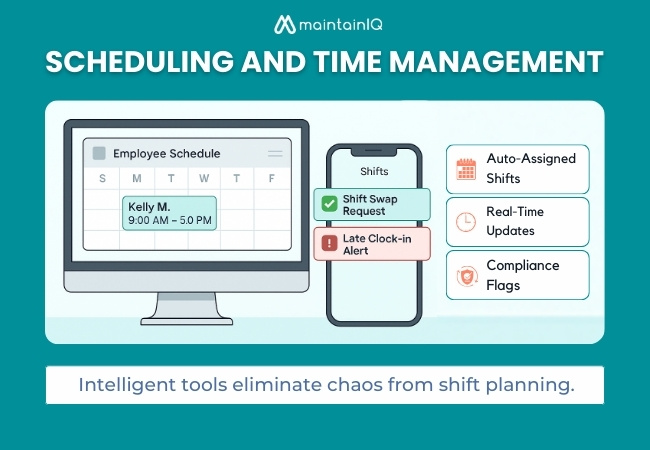
Restaurant operations demand real-time scheduling adjustments for fluctuating customer volumes, while hotel properties need coverage for 24/7 guest services across multiple departments.
Retail environments require flexible scheduling that accounts for seasonal demand variations and peak shopping periods throughout the week.
Restaurant Example
WFM software simplifies complex scheduling in quick-service restaurants by balancing kitchen and counter staff during peak hours. The system enables optimized workforce allocation through:
- Automated role assignment based on employee availability
- Shift flexibility accommodating worker preferences
- Task prioritization during rush periods
- Real-time adjustments for unexpected demand spikes
Hotel Example
Many hotel operations face the challenge of synchronizing housekeeping schedules with fluctuating guest turnover patterns, but WFM software’s scheduling algorithms automatically align room cleaning assignments with check-in and check-out windows.
You’ll achieve precise shift optimization through real-time occupancy data integration. The platform’s labor forecasting capabilities prevent overstaffing during low-turnover periods while ensuring adequate coverage during peak checkout times.
Retail Example
While traditional scheduling methods force retail managers to manually juggle employee preferences against operational demands, WFM software’s automated shift planning tools streamline this complex process by factoring in projected foot traffic, employee seniority rankings, and skillset requirements simultaneously.
Key shift optimization features include:
- Peak traffic forecasting algorithms
- Seniority-based scheduling automation
- Real-time workforce planning adjustments
- Floor coverage compliance monitoring
Time and Attendance Tracking
Maximize your time tracking system‘s value by connecting it with your existing business applications.
Essential integrations include payroll systems for automated wage calculations, HR platforms for extensive employee data management, and project management tools for accurate job costing.
These connections eliminate duplicate data entry while ensuring your attendance records flow seamlessly into accounting, scheduling, and compliance reporting workflows.
Useful Integrations
These integrations enable thorough performance tracking and analytics integration:
- POS systems in restaurants linking labor costs to sales
- Housekeeping management in hotels connecting staff hours to room completion
- Inventory management in retail, aligning labor with stock cycles
- Payroll systems automate wage calculations
Labor Forecasting and Budgeting
Labor forecasting’s impact is seen in retail environments where customer traffic varies dramatically throughout the day and season.
A major clothing retailer might use WFM software to analyze three years of point-of-sale data, identifying that Black Friday requires 300% more floor staff while mid-January needs only 60% of baseline staffing. The system automatically generates precise scheduling recommendations that align labor costs with anticipated revenue, preventing the costly scenarios of understaffing during peak sales periods or overstaffing during slow periods.
Real-World Example
Modern workforce management systems demonstrate their forecasting capabilities through practical applications across diverse industries.
You’ll see workforce analytics driving labor optimization through:
- Hotels predicting holiday weekend staffing using historical occupancy data
- Retail chains adjusting Black Friday cashier coverage based on previous footfall patterns
- Restaurants scheduling servers according to seasonal dining trends
- Manufacturing facilities aligning shift coverage with production forecasts
Compliance and Labor Law Enforcement
How do you guarantee your organization stays ahead of ever-changing labor regulations while avoiding costly compliance violations?
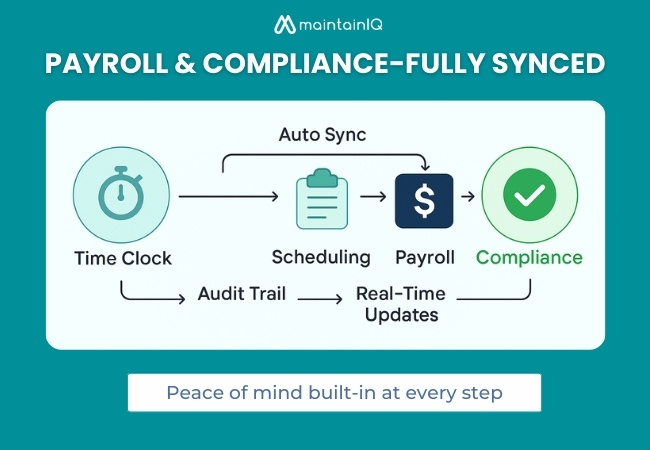
WFM systems integrate detailed regulatory compliance tools that automatically enforce maximum shift durations, mandatory break periods, and union negotiation agreements. You’ll receive real-time automated alerts when scheduling decisions risk violating local or federal labor laws.
Built-in audit logs create exhaustive compliance documentation for inspections and legal reviews. The system prevents managers from scheduling conflicts with union-specific contract terms, overtime thresholds, and rest period requirements.
This automated enforcement eliminates human error while maintaining complete visibility into your organization’s adherence to complex labor regulations.
Digital Task Management and Checklists
When operational consistency determines service quality and regulatory compliance, digital task management transforms scattered responsibilities into structured, trackable workflows. You’ll standardize operations through configurable digital checklists that eliminate guesswork and guarantee accountability.
Mobile task assignment capabilities enable real-time delegation while data-driven scheduling optimizes resource allocation across shifts. Your staff receives clear instructions through their devices, eliminating communication gaps.
Key implementation benefits include:
- Real-time completion tracking monitors progress without micromanagement
- Standardized workflows guarantee consistent execution across locations
- Automated accountability documents task completion with timestamps
- Compliance documentation creates audit trails for regulatory requirements
Employee Self-Service Features
Why burden managers with routine scheduling requests when employee self-service portals can automate these interactions entirely?
Modern WFM systems provide mobile apps and web portals where staff independently view schedules, submit time-off requests, and initiate shift swaps.
These platforms include built-in shift trade approvals workflows that route requests through proper management channels automatically.
You’ll reduce administrative overhead while enabling real-time schedule adjustments.
Advanced portals integrate employee productivity tracking dashboards, allowing workers to monitor their performance metrics and attendance records.
This self-service approach empowers your workforce to manage availability within established company parameters while maintaining managerial oversight and approval controls.
Benefits of Workforce Management Software for Restaurants, Hotels, and Retail
Workforce management software delivers distinct operational advantages across service industries, with each sector benefiting from tailored functionality that addresses specific scheduling complexities and compliance requirements.
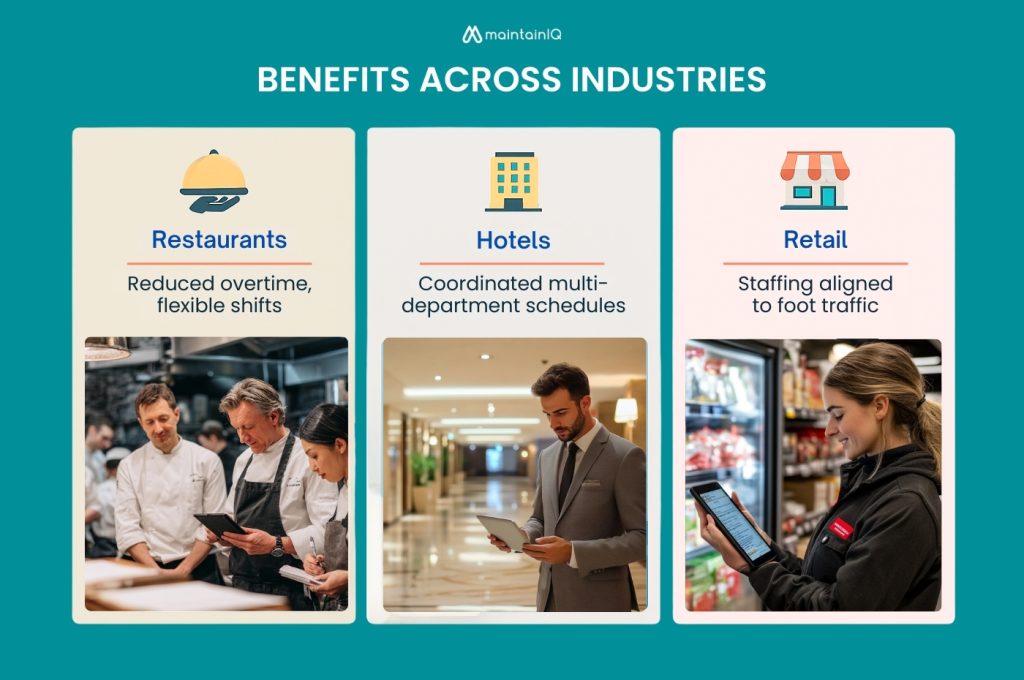
Restaurant teams gain precise labor cost control through real-time tracking and automated break compliance, while hotel operations achieve seamless coordination across departments with integrated housekeeping and front desk scheduling.
Retail businesses use forecasting algorithms to match staffing with traffic patterns and seasonal demand.
Benefits for Restaurant Teams
Although restaurants face unique operational challenges with fluctuating customer volumes and unpredictable staffing needs, WFM software addresses these challenges by streamlining workflows, reducing admin load, and enabling flexible shifts via mobile access.
Key implementation benefits include:
- Standardized kitchen prep scheduling that aligns BOH operations with projected customer flow
- Automated coverage validation ensuring adequate FOH and BOH staffing ratios
- Real-time shift modification capabilities that accommodate last-minute changes without operational disruption
- Mobile reminder systems that reduce tardiness and no-show incidents through proactive notifications
This transforms chaotic scheduling into predictable operational efficiency.
Benefits for Hotel Operations
Hotels operate as complex ecosystems where multiple departments must synchronize seamlessly to deliver consistent guest experiences across 24/7 operations.
WFM software coordinates scheduling across front desk, housekeeping, maintenance, and banquet departments, preventing costly labor gaps during high-occupancy periods and special events.
It automates shifts, supports real-time adjustments based on occupancy and demand, maintains compliance audit logs, and helps optimize department staffing ratios.
Benefits for Retail Businesses
Retail environments demand precise staffing alignment with fluctuating customer traffic patterns, promotional events, and seasonal demand cycles that can shift dramatically within hours. WFM software enables effective employee scheduling by analyzing historical sales data and predicting staffing requirements.
Your retail operations benefit through:
- Automated schedule optimization matching staff levels to anticipated customer volume
- Enhanced part-time workforce coordination across multiple shifts and departments
- Reduced unplanned overtime costs through proactive scheduling adjustments
- Centralized multi-location management streamlines operations across store networks
These tools facilitate data-driven staffing decisions, transforming reactive scheduling into strategic workforce deployment that maximizes productivity while controlling labor costs.
How to Choose the Best Workforce Management Software
You’ll need to evaluate industry-specific features against your operational requirements, analyze deployment models, and establish clear selection criteria before investing in workforce management software.
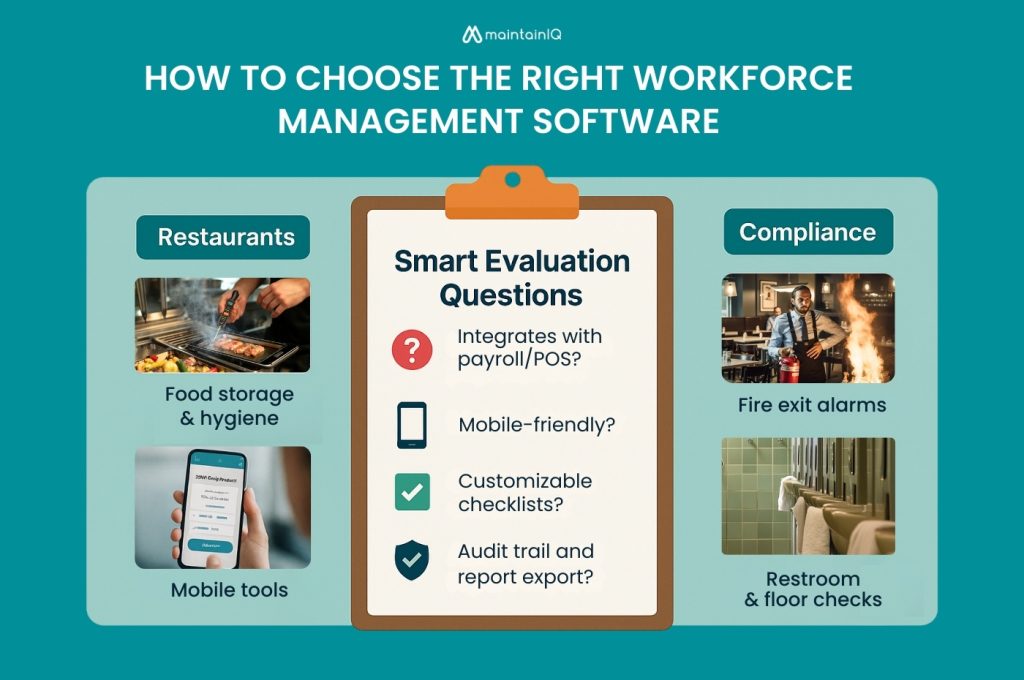
Your decision framework should encompass mandatory functionality for restaurants, hotels, or retail operations, along with targeted questions that reveal system capabilities and vendor reliability.
Compare cloud-based solutions offering scalability and reduced IT overhead against on-premise systems providing enhanced data control and customization options.
Must-Have Features for Each Industry
Industry-specific requirements determine workforce management effectiveness. Your WFM system must support workflows tailored to your sector for optimal performance.
Restaurant Operations:
- Prep list integration with shift scheduling guarantees kitchen staff availability matches production requirements
- Shift swapping capabilities enable real-time schedule adjustments without management intervention
- POS integration connects sales data to staffing decisions for accurate forecasting
- Multi-site coordination streamlines operations across franchise locations
Hotels require cross-department scheduling tools and break compliance monitoring. Retailers need mobile clock-ins, data-driven scheduling based on sales forecasting, and centralized multi-location oversight capabilities.
Questions to Ask Before Buying
Choosing the wrong WFM software can hurt efficiency and waste resources.
Ask the right questions before committing:
- Can it connect with your payroll and POS systems?
- Is the interface intuitive for frontline teams without heavy training?
- Does it support mobile access and real-time notifications?
- Can it scale with team growth or across locations?
These checks ensure the software meets operational demands and delivers productivity gains.
Comparing Cloud-Based vs On-Premise WFM Systems
Architecture decisions between cloud-based and on-premise workforce management systems fundamentally impact your deployment timeline, operational costs, and long-term scalability. Your deployment considerations should evaluate:
- Remote Access Requirements – Cloud solutions provide immediate multi-location accessibility versus on-premise geographic limitations
- Update Management – Automatic cloud updates eliminate manual patching workflows required for on-premise installations
- Infrastructure Requirements – On-premise demands dedicated hardware, IT personnel, and upfront capital versus cloud’s operational expense model
- Security Compliance – On-premise offers direct data control for strict regulatory environments, while cloud provides enterprise-grade security
Fast-paced industries benefit from cloud’s rapid onboarding capabilities and reduced IT overhead.
Real-World Use Cases by Industry
WFM software delivers distinct operational advantages across service industries where labor costs directly impact profitability.
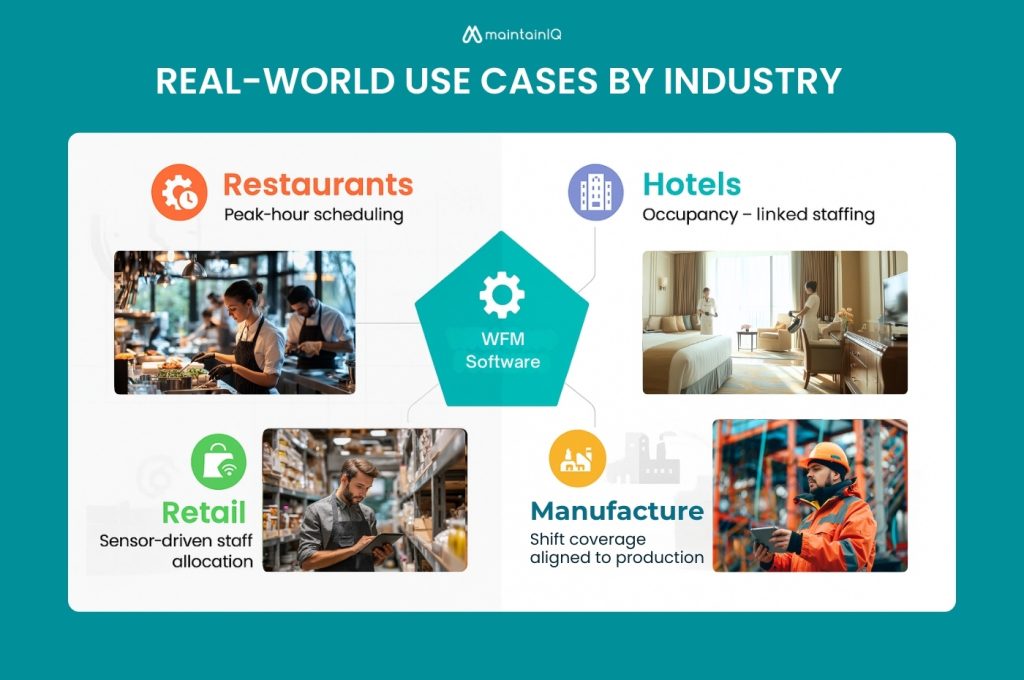
Restaurant operations leverage automated scheduling to manage peak dining periods and labor compliance, while hotels utilize real-time staffing adjustments for fluctuating occupancy rates and guest service demands.
Retail environments benefit from demand forecasting integration that aligns staff deployment with traffic patterns and seasonal inventory cycles.
Restaurant Use Case
Key implementation benefits include:
- 30% overtime reduction through sales peak forecasting and automated scheduling
- Auto-filled shifts that provide shift flexibility during demand fluctuations
- Mobile app checklists for opening/closing procedures across all outlets
- Enhanced accountability through digital task completion tracking
This technology directly addresses restaurant-specific challenges like unpredictable demand patterns and high turnover rates by streamlining workforce coordination.
Hotel Use Case
Modern hotel systems integrate occupancy forecasting with employee scheduling efficiency to optimize staffing levels.
When you implement automated scheduling across departments like housekeeping, concierge, and events, you’ll reduce scheduling errors by 50% while maintaining compliance through digital audit trails that automatically log all workforce activities.
Retail Use Case
Foot traffic patterns drive intelligent staffing decisions when retail chains deploy workforce management systems with integrated sensor technology:
- Sensor-driven schedule maximization – Automatically adjust staffing levels based on customer flow data
- Mobile shift management – Enable seamless shift swaps through employee apps
- Predictive coverage analysis – Prevent understaffing during peak shopping periods
- Absence mitigation protocols – Reduce no-shows through proactive scheduling alerts
This improves productivity and engagement by empowering staff with self-service tools while ensuring consistent floor coverage.
How to Implement Workforce Management Software
You’ll need a systematic approach to deploy workforce management software that addresses technical configuration, data migration, and user adoption requirements.
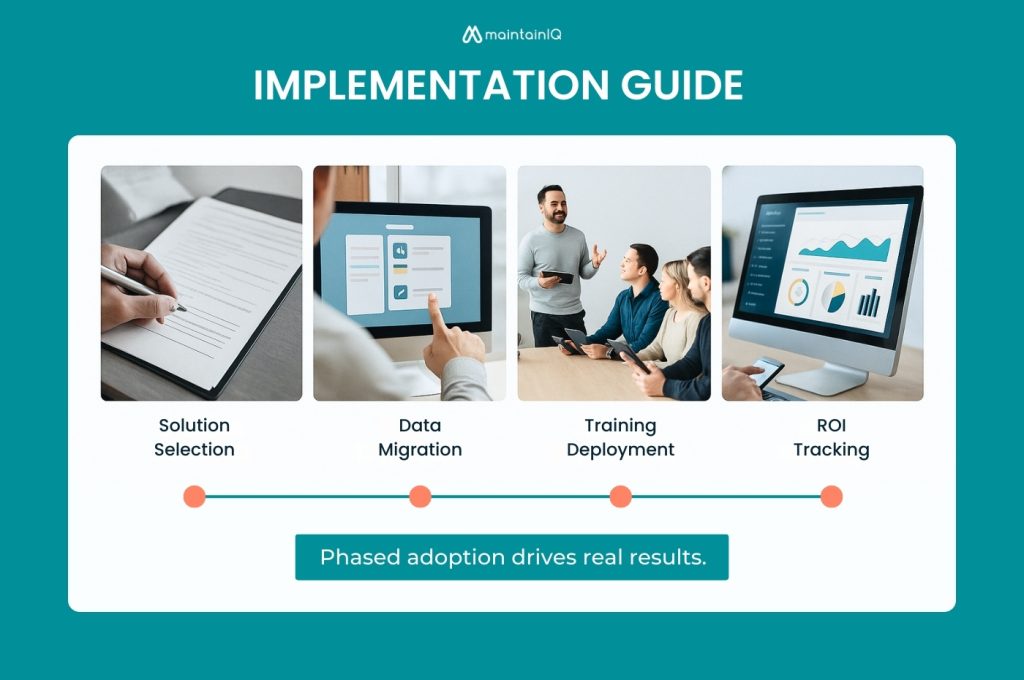
Implementation success depends on your ability to navigate integration complexities, resistance to change, and resource allocation constraints that commonly derail WFM projects.
Measuring your return on investment requires establishing baseline metrics for labor costs, productivity gains, and compliance improvements before system activation.
Steps to Set Up Your WFM System
Though WFM software offers powerful capabilities, success depends on structured planning across five key phases.
Start with audits to uncover workforce pain points. Involve stakeholders to ensure adoption across departments.
Follow these essential setup steps:
- Solution Selection – Align chosen platforms with specific business objectives
- Data Migration – Import employee databases and scheduling templates systematically
- Training Deployment – Educate managers and frontline staff on core functionalities
- Phased Rollout – Launch pilot programs before organization-wide scaling
Common Implementation Challenges
Implementation roadblocks can derail even well-planned workforce management deployments if you don’t anticipate and address them proactively. Employee resistance emerges when staff fear job displacement or increased monitoring. Combat this through transparent communication about benefits and extensive role-based training programs.
Poor data quality from legacy systems creates integration nightmares. You’ll need data cleansing protocols and ensure secure data migration procedures before system launch.
Rushed deployments compound these issues, leading to adoption failures. Execute phased rollouts instead, allowing gradual user acclimation.
Managing organizational change requires dedicated change champions, regular feedback loops, and continuous support during the changeover period.
How to Measure ROI
Establish baseline metrics before deployment to measure post-implementation gains accurately. Your ROI calculation methodology should track quantifiable improvements across operational areas.
Monitor these critical performance indicators:
- Scheduling efficiency reduction – Document time saved in schedule creation and management
- Labor cost decreases – Calculate reductions in overtime and staffing inefficiencies
- Attendance accuracy improvements – Measure decreases in late punches and time theft
- Employee satisfaction scores – Track engagement and retention metrics
Your cost savings evaluation should demonstrate measurable returns within 3–6 months, providing concrete data to justify your investment and guide future optimization strategies.
Conclusion: Why Workforce Management Software Is Essential in 2025
As businesses navigate 2025’s complex operational landscape, workforce management software transforms from a competitive advantage into an operational necessity. Labor shortages demand precise scheduling algorithms that maximize coverage while minimizing costs.
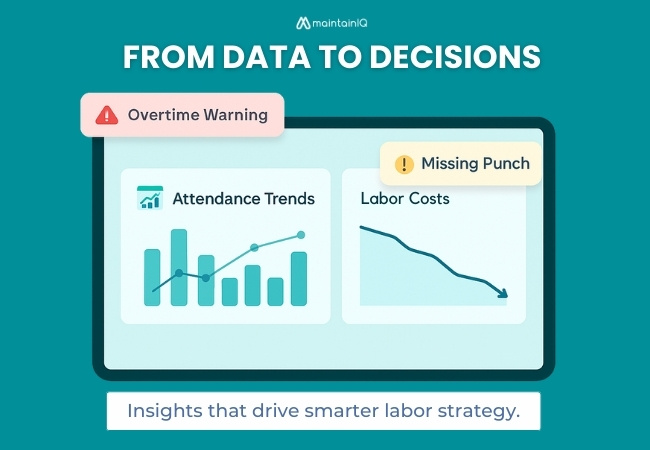
Rising compliance requirements necessitate automated tracking systems that guarantee regulatory adherence without manual oversight. Customer expectations require real-time staffing adjustments that align service levels with demand patterns.
Modern WFM platforms like MaintainIQ deliver empowered workforce performance through intelligent automation, predictive analytics, and integrated communication tools.
You’ll achieve optimized labor efficiency by implementing systems that coordinate scheduling, track attendance, and generate actionable insights across restaurant kitchens, hotel operations, and retail environments.
Frequently Asked Questions
How Much Does Workforce Management Software Typically Cost per Employee per Month?
You’ll encounter diverse pricing models ranging from $2-15 per employee monthly. Consider total cost of ownership including implementation fees, training costs, integration expenses, and ongoing support when evaluating workforce management solutions for your organization.
Can Workforce Management Software Integrate With Existing Payroll and HR Systems?
You’ll find most workforce management platforms offer robust employee timekeeping integration with existing HR systems through APIs and direct connections, enabling seamless payroll automation capabilities that eliminate manual data entry and reduce processing errors.
What Happens to Our Data if We Switch to a Different Software Provider?
When switching providers, you’ll navigate a structured data migration process to transfer employee records, schedules, and historical data. Most vendors provide export tools, though data privacy concerns require careful handling of sensitive workforce information during changes.
How Long Does It Take Employees to Learn the New Workforce Management System?
Lightning-fast employee adoption time depends on your software learning curve strategy. You’ll typically see basic proficiency within two weeks through structured training modules, role-based tutorials, and phased feature rollouts targeting core scheduling functionalities first.
Does Workforce Management Software Work Offline When Internet Connectivity Is Poor?
Most workforce management systems offer limited offline functionality through local data caching. You’ll access stored schedules and punch data during connectivity issues, but reliable data storage requires internet reconnection for synchronization and backup.