You’re managing multiple facilities with paper-based inspection protocols that consume hours of administrative overhead while leaving compliance gaps exposed.
Your current processes can’t scale with regulatory demands or deliver the real-time visibility executives expect from modern facility operations.
Property inspection software like MaintainIQ transforms these inefficient workflows into standardized, audit-ready systems—but only if you select the right feature set that aligns with your operational requirements and compliance framework.
Table of Contents
Key Takeaways
- Digital platform that systematizes inspection workflows, data collection, and compliance reporting for facility management operations.
- Customizable inspection checklists for HVAC, fire safety, and sanitation that can be reused across multiple locations.
- Mobile access with offline capability ensures inspections continue without connectivity disruptions on tablets and smartphones.
- Real-time photo capture with automatic timestamps, location data, and annotation tools for defect documentation.
- Automated scheduling for recurring inspections plus ad-hoc capabilities for immediate response to tenant feedback or incidents.
What Is Property Inspection Software?
Property inspection software functions as a specialized digital platform that systematizes your facility management inspection workflows, data collection, and compliance reporting processes.
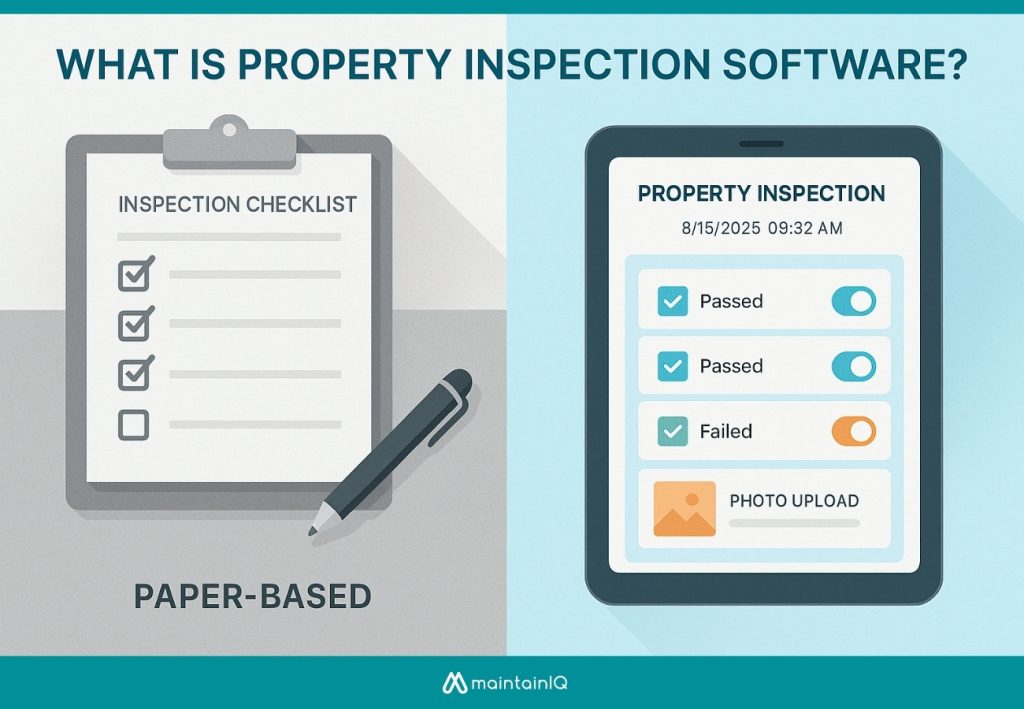
Unlike general maintenance management or CMMS tools that focus primarily on work order generation and asset tracking, this software centers on standardized inspection protocols and regulatory compliance documentation.
It integrates inspection checklists, deficiency tracking, and audit trail capabilities that align with industry standards and property management requirements.
A Facility Management-Centric Definition
Digital platforms designed for property inspection transform how you conduct, track, and document assessments across physical spaces.
From your facility management perspective, this software serves as a specialized tool that addresses infrastructure monitoring, risk identification, and compliance documentation requirements that generic applications can’t handle effectively.
You’ll need systems offering customization options that align with your specific facility protocols and inspection standards.
Mobile accessibility guarantees your team captures data directly from field locations, while real-time data synchronization enables immediate response to critical findings.
This technology bridges the gap between routine maintenance oversight and thorough asset management strategies.
How It Differs from General Maintenance or CMMS Tools
Conventional maintenance management systems, CMMS, handle reactive and preventive maintenance workflows, while property inspection software emphasizes proactive visual assessments and standardized data collection protocols.
Key operational distinctions include:
- Assessment methodology: Visual walkthroughs versus work order execution
- Data storage requirements: Image-heavy documentation versus maintenance records
- Third-party integration options: Condition monitoring systems versus parts inventory
- User adoption strategies: Field inspector workflows versus technician task management
These platforms complement rather than replace CMMS tools, creating extensive facility management ecosystems through specialized audit capabilities.
Core Features of Property Inspection Software for Facility Managers
When evaluating property inspection software, you’ll need specific functionality that streamlines your facility management operations and guarantees compliance with industry standards.
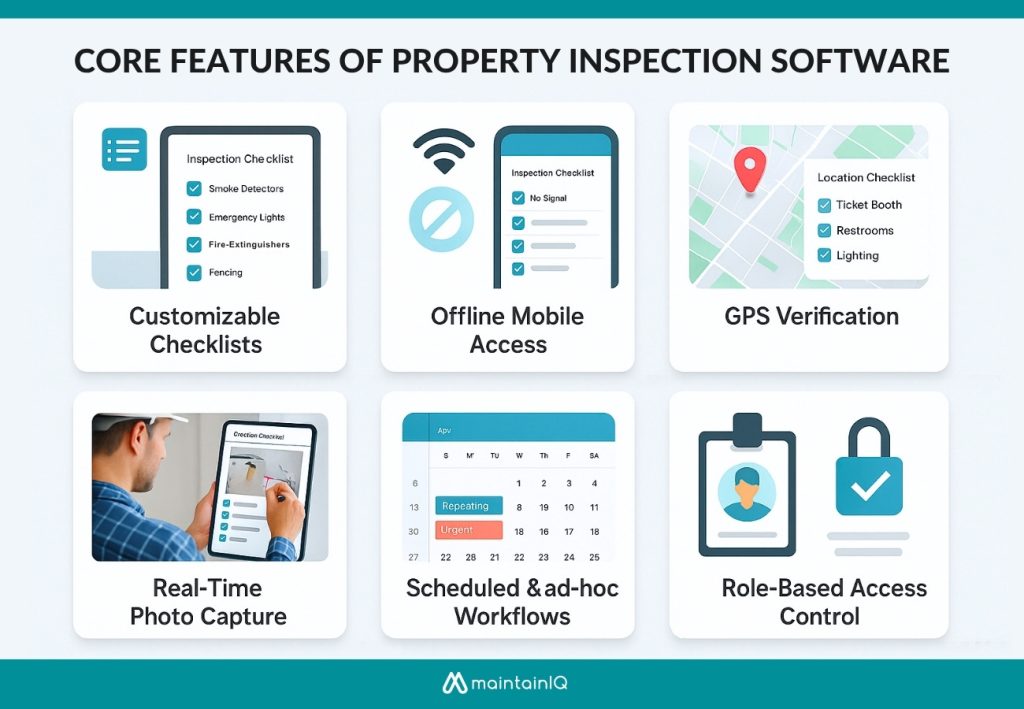
The most effective platforms include customizable digital checklists, mobile access with offline capabilities, and real-time documentation features that capture inspection data accurately.
You’ll also require robust workflow management tools that support scheduled inspections across multiple sites while providing GPS tracking for location verification.
Customizable Digital Inspection Checklists
To ensure inspection accuracy across different properties, customizable checklists are essential.
Customized templates that address specific facility types, from HVAC systems to ADA compliance requirements, enable multi-facility automation while maintaining inspection consistency across your portfolio.
Key capabilities include:
- Building facility-specific forms for HVAC, fire safety, sanitation, and compliance
- Reusing templates across multiple locations for operational efficiency
- Modifying checklists based on regulatory updates and operational changes
- Implementing real-time issue tracking throughout inspection workflows
Mobile Access with Offline Capability
Field inspectors require uninterrupted access to their inspection tools regardless of connectivity conditions.
Your property inspection software must deliver robust offline access capabilities, enabling checklist completion on tablets and smartphones without internet dependency.
This functionality proves essential when inspecting large properties, underground facilities, or areas with poor signal reception.
Once connectivity resumes, cloud-based synchronization automatically uploads collected data, ensuring zero inspection loss.
Multi-device compatibility allows seamless migrations between different mobile platforms while maintaining data integrity.
This methodical approach guarantees thorough inspection coverage across all property zones, eliminating connectivity-related workflow disruptions that compromise facility management standards.
Real-Time Photo Capture and Evidence Upload
Visual documentation transforms property inspections from basic checklists into extensive evidence-gathering operations.
Essential features include:
- Instant photo capture with automatic timestamp and location data
- Annotation tools for marking specific defects or concerns directly on images
- Secure data storage with cloud synchronization for immediate access
- Evidence categorization system linking photos to specific inspection criteria
This guarantees compliance standards while providing irrefutable proof of property conditions during inspections.
Scheduled, Recurring, and Ad-Hoc Inspection Workflows
Property inspection software orchestrates your entire inspection program through automated scheduling systems that eliminate manual coordination overhead.
You’ll configure daily, weekly, monthly, or custom recurring schedules and assign them to specific individuals or teams based on operational requirements. The platform maintains inspection calendars automatically, ensuring compliance with regulatory timelines and internal protocols.
When situations demand immediate response—such as real-time tenant feedback or incident reports—you can launch unscheduled inspections instantly.
This dual-workflow approach combines proactive maintenance scheduling with reactive problem-solving capabilities, creating holistic facility oversight that adapts to both planned operations and unexpected circumstances requiring immediate attention.
Multi-Site Location Support and GPS-Based Tracking
To maintain inspection integrity across sites, the platform centralizes management and uses GPS to confirm on-site inspections.
This capability delivers:
- Centralized dashboard – Monitor all properties from single interface with real-time status updates
- GPS verification – Automatic location stamping prevents false reporting and verifies compliance
- Audit trail – Complete documentation chain maintains data security and regulatory standards
- Reporting analytics – Cross-location performance metrics identify trends and improvement opportunities
This ensures consistency and eliminates inspection gaps.
Digital Signatures and Role-Based Access Control
Authentication becomes critical when inspection data influences safety decisions, regulatory compliance, and asset management strategies across your facility portfolio.
Digital signatures validate inspector qualifications and create an immutable audit trail for each completed inspection.
You’ll establish approval workflows that route reports through designated supervisors before finalization. Role-based access control restricts editing privileges to authorized personnel only, preventing unauthorized modifications to critical safety data.
This systematic approach guarantees regulatory compliance while maintaining data integrity.
Your inspection records become legally defensible documents with clear accountability chains, supporting both internal audits and external regulatory reviews across all properties.
Instant Report Generation and PDF Export
When inspection fieldwork concludes, you’ll need detailed reports that transform raw data into actionable documentation for stakeholders across your organization. Modern property inspection software delivers instant report generation with professional formatting tailored to specific recipients and compliance requirements.
Essential reporting capabilities include:
- Automated PDF export with customizable templates for internal audits and vendor communications
- Email distribution systems that route reports to designated stakeholders immediately
- Dashboard integration supporting third-party integration capabilities for centralized data management
- Mobile app usability enables field teams to generate reports directly from inspection locations
Advanced platforms also provide data backup options, ensuring critical inspection documentation remains accessible and secure.
Integration with CMMS, Work Orders, and Maintenance Logs
The integration between property inspection software and your existing CMMS creates a unified maintenance ecosystem that transforms inspection findings into actionable work orders without manual data entry.
You’ll establish thorough audit trails that document every inspection result, maintenance action, and resolution timeline.
Your maintenance logs capture complete historical data, supporting predictive maintenance strategies and regulatory compliance.
The integrated system also tracks vendor performance metrics, allowing you to evaluate contractor response times and work quality against established standards for continuous improvement.
Key Benefits of Using Property Inspection Software
Implementing property inspection software leads to measurable improvements in facility management.

The software delivers enhanced safety compliance, accelerated issue resolution through real-time data visibility, and streamlined communication protocols between your teams and external vendors.
Detailed inspector traceability ensures clear accountability that meets regulatory standards.
Improved Safety, Compliance, and Risk Mitigation
Critical safety incidents and compliance violations can devastate facility operations, but property inspection software transforms how you manage these risks through systematic documentation and standardized protocols. Critical tasks are prioritized, ensuring immediate attention where needed.
Key risk mitigation advantages include:
- Proactive Issue Detection – Early identification prevents equipment failures and safety hazards
- Regulatory Compliance Tracking – Automated documentation maintains audit trails for inspections
- Liability Reduction – Standardized protocols demonstrate due diligence in facility management
- Preventive Maintenance Scheduling – Data-driven interventions minimize operational disruptions
Faster Issue Resolution Through Real-Time Visibility
When property issues arise, immediate visibility into inspection data accelerates your response times and prevents minor problems from escalating into major operational disruptions.
Real-time inspection data analytics eliminate on-site visibility gaps by providing instant access to critical findings across your entire portfolio.
This enables accurate task assignment and seamless remote coordination.
| Issue Type | Traditional Response | Real-Time Response |
| Safety Hazards | 24–48 hour delays | Instant notifications |
| Equipment Failures | Manual reporting lag | Automated work orders |
| Compliance Violations | Quarterly discovery | Immediate detection |
Streamlined Communication Between Teams and Vendors
Property inspection software establishes unified communication channels that eliminate the fragmented messaging systems plaguing traditional facility management operations. Centralized data platforms that enable effective task delegation while maintaining complete audit trails across all stakeholder interactions.
Communication benefits include:
- Automated notifications that trigger alerts for priority issues requiring immediate vendor response
- Real-time status updates enabling proactive issue prevention through early stakeholder coordination
- Centralized documentation eliminates redundant emails and phone calls between departments
- Mobile accessibility supporting remote workforce management with instant field-to-office communication
Everyone works from identical datasets, ensuring consistent information flows that streamline vendor coordination and accelerate resolution timelines.
Greater Accountability and Inspector Traceability
Beyond streamlined communication, property inspection software generates detailed accountability frameworks through systematic data capture protocols that track every inspection activity.
It establishes streamlined inspection audits through time-stamped entries that document inspector actions, location coordinates, and completion timestamps.
This creates thorough audit trails linking specific personnel to inspection outcomes, enabling transparent performance metrics across your facility management operations.
Leadership gains real-time visibility into team productivity and compliance adherence patterns.
The software enables proactive compliance monitoring by tracking inspection frequency, identifying performance gaps, and maintaining regulatory documentation requirements automatically for enhanced organizational accountability.
Use Cases Across Different Facility Types
Property inspection software adapts to your facility type’s specific operational requirements and regulatory standards.
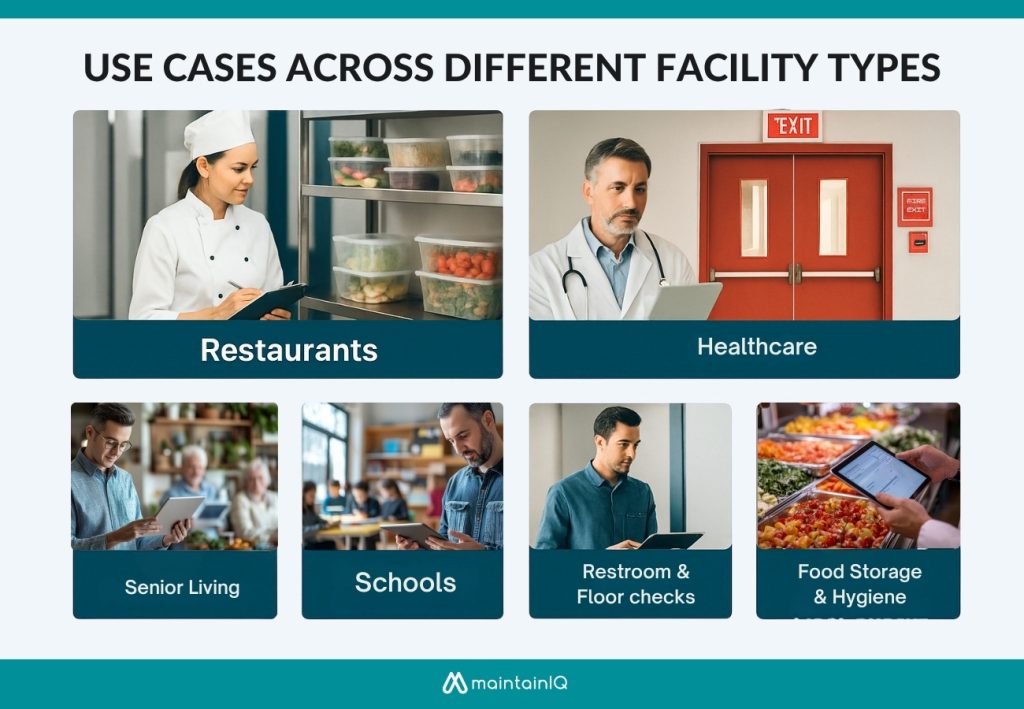
Restaurant environments demand food safety compliance tracking, while educational campuses require multi-building coordination and safety protocol management.
Healthcare facilities, retail chains, and grocery networks each present distinct inspection workflows that must align with industry-specific regulations and operational processes.
Restaurant and Food Service Inspections
When implementing property inspection software for restaurant and food service operations, streamline compliance with rigorous health department regulations while maintaining consistent documentation across all facility areas.
Digital inspection tools enable thorough monitoring through:
- Kitchen equipment verification – Track refrigeration temperatures, sanitizer concentrations, and cleaning schedules with timestamped records
- Food handling procedures documentation – Monitor kitchen staff training compliance and certification renewals automatically
- Pest control measures tracking – Schedule treatments, document findings, and maintain vendor accountability with photo evidence
- Dining area assessments – Verify restroom cleanliness, surface sanitization, and overall customer space hygiene standards
You’ll maintain audit-ready records while reducing manual paperwork and ensuring consistent safety protocols.
School and Campus Facilities
Property inspection software transforms school and campus facility management by centralizing safety monitoring across diverse educational environments while ensuring compliance with state and federal regulations.
- Streamline playground maintenance schedules, tracking wear patterns on equipment and surface conditions that affect student safety.
- Systematic safety audits across classrooms, restrooms, and fire exits with timestamped photo documentation.
- Regulatory compliance maintenance by automating inspection frequencies, generating audit trails, and ensuring nothing falls through administrative cracks.
- Digital workflows replace paper-based systems, improving accountability while reducing liability exposure through thorough documentation of all facility conditions.
Senior Living and Healthcare Properties
Senior living and healthcare facilities demand rigorous inspection protocols that go far beyond standard commercial property management, requiring specialized workflows for medical equipment monitoring, infection control verification, and resident safety compliance. You’ll need software that ensures safety, efficiency, and regulatory alignment.
Your inspection software should include:
- Daily medical equipment calibration and functionality checks
- Infection control measures verification and documentation
- Environmental safety assessments for resident protection
- Staff training programs, compliance tracking, and certification management
These systematic approaches help you maintain health department requirements while protecting vulnerable populations through consistent quality assurance processes.
Retail Chains and Grocery Store Networks
Consistency becomes paramount when managing retail chains and grocery store networks, where you’ll coordinate inspections across dozens or hundreds of locations while ensuring each site maintains identical operational standards.
Your property inspection software enables:
- Standardized evaluations of refrigeration units, inventory storage systems, floor safety protocols, and cleanliness benchmarks.
- Systematic asset verification for multi-store inventory optimization relies on workflows that track equipment performance across locations.
- Consistent temperature monitoring and storage compliance for food quality assurance.
- Multi-site reporting capabilities allow headquarters to compare performance metrics, identify compliance gaps, and implement corrective measures efficiently across your entire network.
How to Choose the Right Property Inspection Software
When evaluating property inspection software vendors, conduct systematic demos that test core functionality against your specific operational requirements.
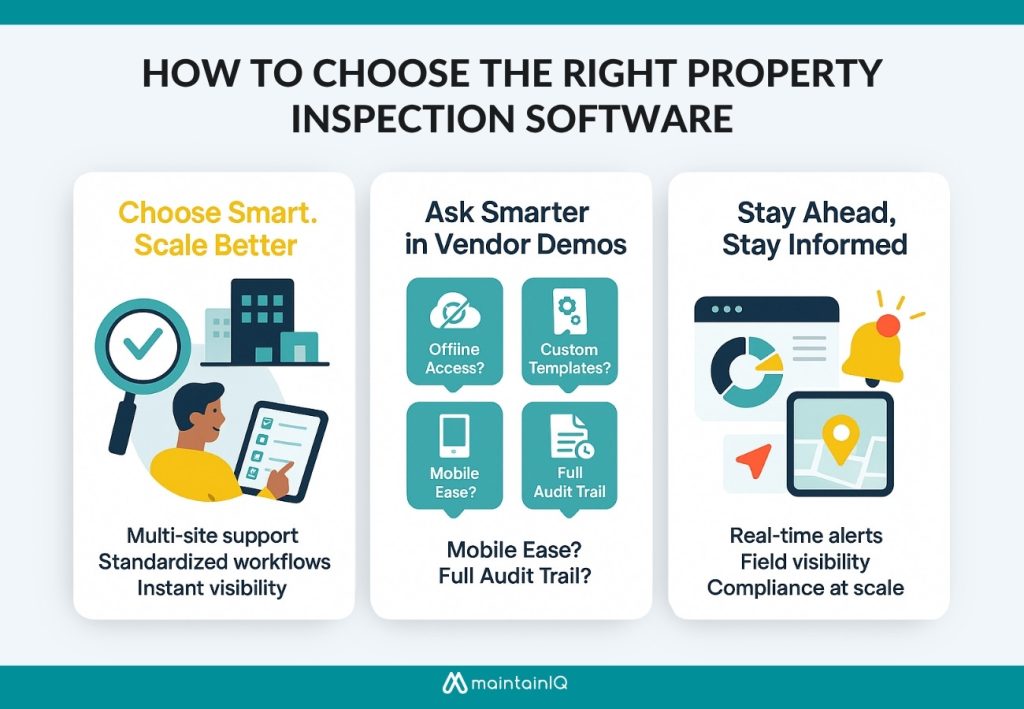
Prioritize features that support multi-location management, including centralized data aggregation, standardized inspection protocols, and cross-site reporting capabilities.
Real-time dashboards and automated notification systems that enable immediate response to compliance issues and maintenance priorities across your entire property portfolio.
Essential Questions to Ask During Vendor Demos
Asking the right questions during vendor demonstrations separates functional property inspection software from solutions that’ll create operational bottlenecks. Evaluate core capabilities that directly impact field operations and compliance workflows.
Focus on these critical areas during your evaluation:
- Does the software support offline mode? – Field teams can’t rely on consistent connectivity
- Can you build fully custom inspection templates? – Standard checklists won’t match your facility requirements
- How easy is it for frontline teams to use on mobile? – Complex interfaces reduce adoption rates
- Is there an audit trail for each inspection? – Compliance demands complete documentation history
Test offline mode support, custom checklist creation, and mobile-friendly workflows thoroughly.
Must-Have Features for Multi-Location Operations
For multi-location portfolios, software must offer centralized checklist management and template replication.
Remote site visibility becomes critical—look for dashboards displaying real-time status updates from all locations simultaneously.
User-based access permissions must accommodate regional managers while maintaining corporate oversight.
On-demand data analysis capabilities should generate region-specific reports and cross-location comparisons.
Your platform must standardize inspection protocols while adapting to local requirements.
These features eliminate operational silos and guarantee consistent quality standards regardless of geographic distribution or property portfolio complexity.
Importance of Real-Time Dashboards and Notifications
Real-time dashboards act as your command center, delivering instant inspection status and alerts.
Your dashboard should deliver:
- Data analytics with visual progress tracking and completion metrics
- On-the-go accessibility through mobile-responsive interfaces for field teams
- Automated alerts that notify stakeholders immediately when critical issues surface
- Real-time status updates showing overdue inspections and pending tasks
This guarantees identifying potential problems before they escalate into costly repairs or compliance violations.
MaintainIQ: Purpose-Built Property Inspection for Facility Teams
MaintainIQ delivers an all-in-one inspection solution built for multi-site operations. From mobile checklists and offline access to photo documentation, GPS tracking, and CMMS integration, it streamlines compliance and eliminates manual effort.
Designed for real-time visibility and consistent standards, MaintainIQ helps facility teams move from reactive fixes to proactive management—at scale.
Implementation Guide for Facility Teams
A successful implementation requires a structured strategy that addresses site-by-site deployment, team integration protocols, and measurable success criteria.
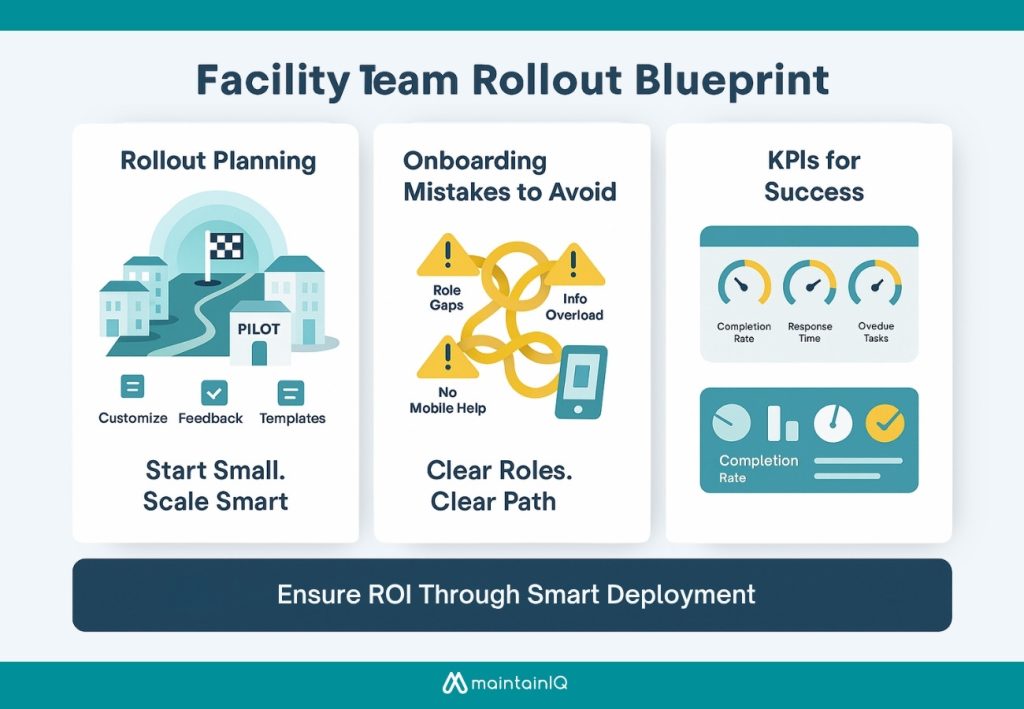
Your rollout plan must anticipate common onboarding pitfalls while establishing clear performance indicators that demonstrate tangible returns on your software investment.
Focus on standardized processes that guarantee consistent adoption across all facility locations and team hierarchies.
Planning Your Rollout Across Sites and Teams
The most critical factor in successful property inspection software deployment is selecting the right pilot site and methodically expanding from there.
Choose a representative location to reveal system strengths and limitations.
Focus on customizing templates during this initial phase while documenting user feedback and operational challenges.
Your phased rollout approach should include:
- Select a pilot site with engaged stakeholders and typical facility characteristics
- Customize inspection templates based on site-specific requirements and standards
- Develop thorough training materials from pilot program lessons learned
- Scale deployment incrementally across remaining sites using proven methodologies
Avoiding Common Mistakes in Onboarding
Why do so many property inspection software implementations fail during the onboarding phase despite careful planning? Poor training protocols, undefined accountability structures, and overloaded checklists create operational bottlenecks that undermine adoption rates.
- Establish clear roles for each team member before system activation.
- Define who manages inspection frequency adjustments, data validation, and compliance reporting.
- Implement mobile tutorials that deliver targeted, role-specific instruction in digestible segments.
- Keep initial checklists succinct—focus on essential inspection points rather than extensive audits.
Structure your onboarding process around progressive capability building. Start with basic functionality, and add complexity through structured training.
KPIs to Track Success and ROI
Successful property inspection software deployment requires systematic measurement of operational performance metrics that directly correlate with facility management objectives. Productivity analytics provide evidence of improved operations and ROI.
Essential quality assurance metrics include:
- Inspection completion rate percentage and timeline adherence
- Issue response time from detection to resolution
- Overdue task reduction and compliance audit scores
- Incident report frequency and severity trends
Track these KPIs monthly to quantify operational improvements. Monitor completion rates above 95%, response times under target thresholds, and declining incident reports.
Conclusion: Why Digital Property Inspections Are the New Standard for Facility Managers
Modern facility management demands systems that can match the pace and complexity of today’s operational requirements. You can’t afford to rely on paper-based processes when regulatory compliance and operational efficiency are at stake.
Digital property inspection software like MaintainIQ delivers the data-driven insights you need for informed decision-making, while cloud-based storage guarantees your documentation remains accessible and secure.
Paperless workflows eliminate bottlenecks and reduce human error across your operations.
Whether you’re managing a single facility or a portfolio of properties, digital inspections aren’t just an upgrade—they’re the operational standard that safeguards sustainable, scalable facility management success.
Frequently Asked Questions
How Much Does Property Inspection Software Typically Cost per User per Month?
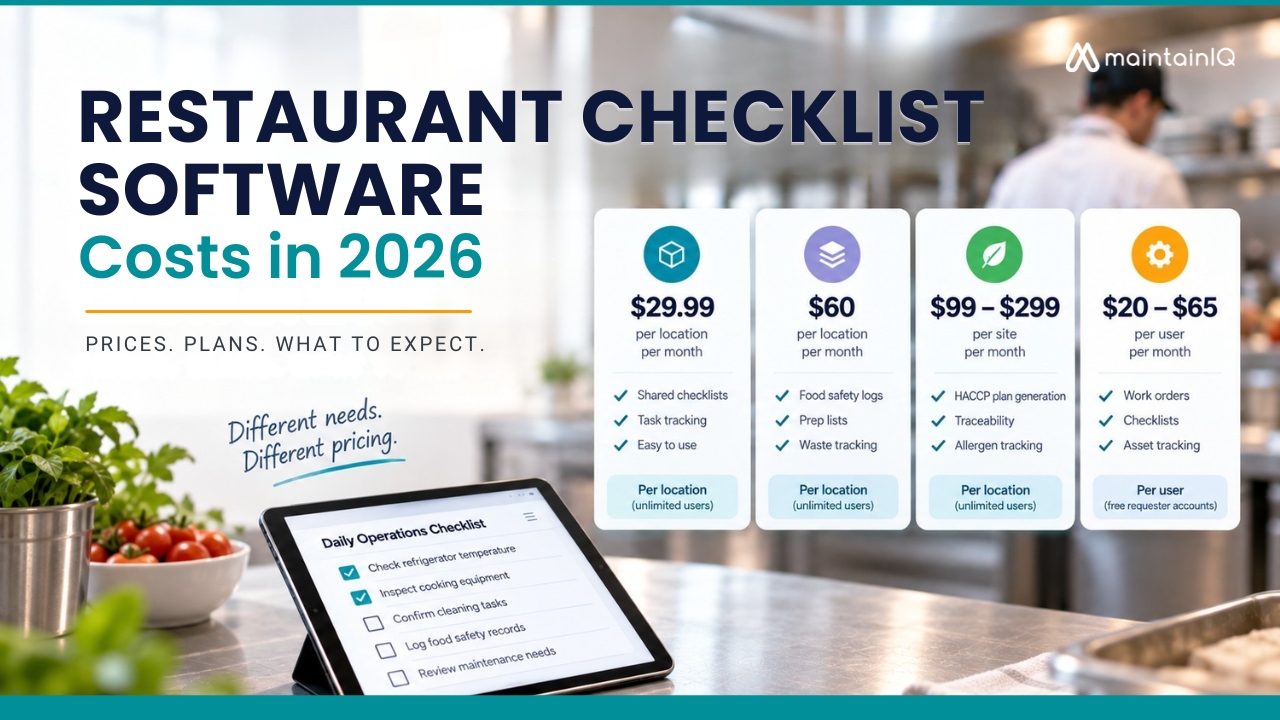
Software costs typically range from $15-100 monthly per user, depending on pricing structures you select. Basic subscription models start around $20, while enterprise-grade platforms with advanced compliance features reach $75-100 per user monthly.
Can Property Inspection Software Integrate With Existing CMMS and Maintenance Management Systems?
You can integrate property inspection software with existing CMMS platforms through API connections, enabling synchronized automated scheduling, streamlined customizable inspection forms, and seamless mobile device integration for thorough maintenance workflows and data consistency.
What Happens to Inspection Data if We Switch to a Different Software Provider?
You’ll face data migration plan requirements, integration challenges during transfer, and interoperability concerns between systems. Export formats, API compatibility, and standardized protocols determine whether you’ll retain historical inspection records completely.
Does Property Inspection Software Work Offline in Areas With Poor Internet Connectivity?
You’ll need offline functionality with local data storage for areas lacking remote connectivity. Look for solutions offering cellular backup options, automatic sync protocols, and cached form capabilities to guarantee continuous inspection processes despite network limitations.
How Long Does Staff Training Typically Take When Implementing New Inspection Software?
You’ll typically need two to four weeks for staff training during software deployment timeline. Learning curve adjustments vary by user experience, while workflow optimization strategies require ongoing refinement throughout the initial implementation phase.