Digital Checklist Best Practices for Restaurant Quality Control
Digital checklist best practices for restaurant quality control, from writing clear items and setting due times to training staff and reviewing results.
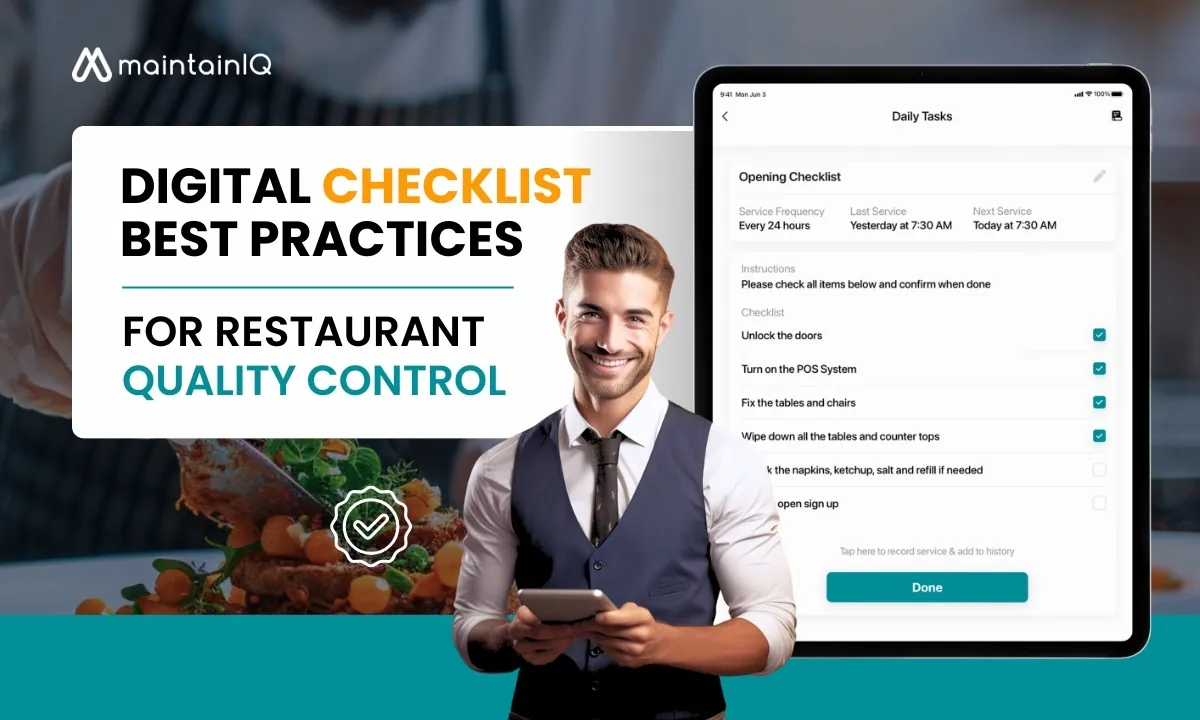
Key takeaways
- Keep each checklist focused on one job, such as opening, line checks or closing, so staff can finish it without skipping items.
- Write every item as a clear yes/no check with a target, for example cold food held at 41°F or below and hot food at 135°F or above.
- Name an owner for each list and a person to escalate to when a failed item is not fixed by the end of the shift.
- Review completion and failed items every week, and update your lists whenever the menu, equipment or local rules change.
On this page
A digital checklist for restaurant quality control turns your standards (food temperatures, portioning, cleaning, plating) into short, timed checks that staff complete on a phone or tablet, with a record of who did each one and when. The best practices come down to a few habits: keep each list short and focused, write items as clear yes/no checks, set due times, train the team, and review the results every week.
This guide covers why quality control matters, what going digital changes compared with paper, how to build checklists that people actually finish, and how to roll them out in your restaurant. If you want to know the pitfalls first, read about the mistakes to avoid with a digital checklist.
Why Quality Control Matters in the Restaurant Industry
Maintaining strict quality control protects your restaurant’s reputation and builds customer loyalty.
Consistent quality in food and service meets customer expectations and turns first-time guests into regulars who recommend you.
Impact on Customer Satisfaction and Loyalty
Consistency is what drives customer satisfaction and loyalty in the restaurant industry.
Customers expect good food, service and atmosphere on every visit. Meeting or beating those expectations again and again turns them into loyal patrons, which brings repeat business and word-of-mouth referrals.
Inconsistency does the opposite. It leads to disappointment, negative reviews and lost customers.
By making quality control a priority, you build a loyal customer base that supports your restaurant over the long term.
Protecting Your Brand Reputation
In the restaurant industry, a reputation is fragile and one bad night can damage it.
A single negative experience spreads quickly online and puts off potential customers.
A quality control checklist keeps every part of the operation consistent, which protects your reputation and builds trust.
It is not just about avoiding bad reviews. It is about building a customer base that speaks up for you.
With a strong quality control system in place, you can spend your time on new dishes, growth and the guest experience instead of damage control.
Ensuring Food Safety and Preventing Health Risks
Food safety comes first, because it affects public health and your reputation directly.
A single mistake can lead to a foodborne illness outbreak, with serious consequences.
A solid quality control system, backed by a digital food safety checklist, is how you prevent that. The core checks are simple and specific:
| Check | Target (FDA Food Code) |
|---|---|
| Cold holding | 41°F (5°C) or below |
| Hot holding | 135°F (57°C) or above |
| Cooling cooked food | 135°F to 70°F within 2 hours, then to 41°F within the next 4 hours |
| Reheating for hot holding | 165°F for 15 seconds, within 2 hours |
| Handwashing | At least 20 seconds in total |
These targets come from the FDA Food Code, which most US health departments base their rules on. When your checklist states the target in the item itself, staff know exactly what a pass looks like.
By following clear procedures, logging temperatures and keeping up hygiene standards, you greatly reduce the risk of contamination. It is not only about compliance. It is about building a culture of safety and responsibility, and a digital checklist makes those standards part of every shift.
Meeting Regulatory Requirements and Avoiding Penalties
Rules cover every part of a restaurant, from cleanliness in food preparation areas to employee hygiene and waste handling.
Failing to comply can lead to penalties, closures or even lawsuits.
A dependable quality control system is your defense. With a digital checklist, you can confirm that every part of the operation, from food storage to hygiene, meets the standard every day, not only on inspection day.
It is not just about avoiding fines. It is about keeping a reputation for doing things right, so you can focus on great food and service.
Boosting Efficiency and Reducing Waste
Your restaurant’s success depends on more than great food. It also needs efficient operations.
A food quality checklist keeps meals consistent, and it also tightens up processes and cuts waste.
When prep, rotation and storage checks are done on time, you throw away less food, order less by mistake and avoid costly errors.
That makes the kitchen more efficient and less wasteful, which helps your profit.
The result is a win for both sides: customers get consistent food, and the business gets a stronger bottom line.
Moving Beyond Paper: The Advantages of Digital Checklists for Quality Control
You are probably tired of flipping through stacks of paper checklists looking for problems that should have been obvious.
Switching to digital checklists shows you what is happening in your restaurant as it happens, and they cut response times when something goes wrong.
Digital checklists simplify workflows, reduce human error and make the whole operation more efficient than paper.
Live Visibility and Data-Driven Insights
Seeing results as they come in changes restaurant quality control. Managers get a clear view of performance and of what needs work.
You are no longer waiting for weekly or monthly reports to find problems. With digital checklists, each result is there as soon as it is submitted, so you can deal with issues straight away.
That visibility supports better decisions. You can spot inconsistencies, fix them and improve your processes over time.
By using what the data tells you, you can raise customer satisfaction and grow revenue, instead of relying on manual reports.
Improved Accuracy and Reduced Human Error
Manual data entry and paper checklists are prone to errors. Switching to digital checklist templates greatly reduces that risk.
Here are a few ways digital checklists improve accuracy:
- No more scribbled notes: Every entry is legible.
- Standard procedures: The same template is used every time, so the process stays consistent.
- Less manual entry: Staff tap an answer instead of copying numbers, so fewer mistakes creep in.
- Live updates: You see tasks and issues as they come up, which makes it easier to fix them quickly.
Streamlined Workflows and Increased Efficiency
Efficiency matters in every restaurant, and digital checklists help keep work moving.
Built-in due times, reminders and reports free up staff time for hands-on work. That saves time and improves kitchen quality control.
With routine tasks handled by the checklist, you can focus on the menu, staff training and the guest experience.
Less paperwork means a more effective operation and a more successful restaurant.
Enhanced Accountability and Traceability
With a digital checklist app, you can confirm that tasks are done and that follow-up tasks are tracked to the end.
Here is how a digital checklist app improves accountability and traceability:
- Name on every entry: A clear record of who completed each task.
- Time stamps: Exactly when each task was completed.
- History: A record of all completed tasks and follow-up tasks.
- Reporting: Reports that show trends and areas to improve.
Better Communication and Collaboration
Digital checklists improve accountability and traceability, and they also go a long way toward improving team communication.
With a checklist app, live updates and one shared place for information break down silos and make work visible to everyone.
Everyone stays aligned on goals, and issues get resolved quickly without misunderstandings or blame.
Digital checklists cut down on long meetings and paper trails, so your team can work more efficiently.
That raises productivity, reduces mistakes and improves customer satisfaction. The impact is real: less stress and better results.
Best Practices for Creating Effective Digital Checklists
Digital checklists can transform your restaurant’s quality control, but only if they are built well.
To get the most from them, follow these best practices.
| Best Practice | Description | Key Actions |
|---|---|---|
| Clearly Defined Objectives and Scope | Define the checklist’s purpose and focus on specific quality control areas. | Focus each list on one area so staff are not overwhelmed; write actionable items; track progress and celebrate wins. |
| Simple, Concise, and Actionable Items | Keep each item clear and simple so staff are not confused. | Use plain language; break tasks into small steps; include the target (a temperature, a time) in the item. |
| Use of Visual Aids (Photos, Videos) | Support complex procedures or inspections with visuals. | Show the correct standard with a reference photo or short training video; keep a shared library so every location uses the same examples. |
| Regular Review and Updates | Review and update checklists so they stay compliant and useful. | Schedule regular reviews; ask staff for feedback; update for new rules, menu changes or better ways of working. |
| Integration with Other Restaurant Systems | Make sure checklist results fit into how you already run the business. | Ask which systems the app works with; check that results can be exported; set up the reports and emails you need. |
Implementing Digital Checklists in Your Restaurant
Once your digital checklist is built, it is time to put it to work in your restaurant.
To do it well, you need to choose the right software, train your team, assign clear responsibilities, build checklists into daily operations, and keep monitoring and improving.
Choosing the Right Digital Checklist Software
Choosing the right software is key to a smooth rollout. You need a tool that improves quality management without complicating the work.
Consider these factors when choosing software:
- Fit with your restaurant’s needs: Choose software that solves your actual problems and goals.
- Budget: Choose a solution that fits your budget, with no surprise costs.
- Customization: Make sure the software can be tailored to your day-to-day routines and workflows.
- Fit with existing systems: Check how it works with the tools you already use.
Training Your Staff on Using the System
Proper training is one of the biggest factors in whether a new system sticks, and effective staff training follows the same principles whether you are teaching safety or software.
Rather than expecting employees to figure it out on their own, give them hands-on training on how to open, complete and submit checklists.
- Thorough onboarding: Make sure every team member knows how to use the system properly.
- Answer concerns: Take time to answer questions so people feel confident with the digital system.
- Build confidence: Well-trained employees work faster and can focus on great customer experiences.
Establishing Clear Roles and Responsibilities
Once staff are trained, assign clear roles so people are accountable. This is how tasks get done and failed items get fixed.
Here is how:
- Assign checklist champions: Choose specific staff members to oversee checklist completion and follow up on failed items.
- Define task ownership: Spell out who completes each task and make sure they understand their role.
- Set escalation steps: Decide who gets told when a follow-up task is not done.
- Schedule regular reviews: Go over checklist completion and follow-up tasks regularly to make sure everything is on track.
Integrating Checklists into Daily Operations
Building digital checklists into your restaurant’s daily routine makes the team more efficient. Make them a natural part of each shift so they become second nature.
- Part of the routine: Tie checklists to fixed points in the day, such as opening, pre-shift, mid-shift and closing.
- Consistency: Use them every day, not only when someone is watching.
- Confidence: As your team gets comfortable, you will see gains in both confidence and efficiency.
Monitoring and Evaluating Performance
Tracking performance keeps your digital checklists effective. Check the numbers regularly, look for patterns and make improvements.
- Track key metrics: Completion rates, how late tasks are, time to close follow-up tasks, audit scores and team engagement.
- Look for trends: Find recurring issues, weak spots and chances to improve.
- Make improvements: Use what you learn to improve processes, training and equipment.
- Review and update checklists: Keep them current with regulations, feedback and changes in the operation.
Encouraging Staff Feedback and Participation
To get the most from your digital checklists, involve your staff in building and refining them.
- Encourage open communication and feedback.
- Make it safe for staff to share ideas and point out problems.
- Recognize quality achievements to reinforce good habits.
- Hold regular team meetings to discuss progress and improvements.
Building a Culture of Quality and Continuous Improvement
Give employees ownership of quality. Open communication and shared responsibility lead to problems being solved early and to long-term success.
| Quality Culture Traits | Benefits |
|---|---|
| Encourage open communication | Finds issues before they become major problems |
| Foster a sense of ownership | Raises staff morale and motivation |
| Let staff make decisions | Makes the team faster and more adaptable |
| Recognize and reward quality achievements | Reinforces good habits |
| Lead by example | Sets the tone for a quality-focused culture |
MaintainIQ: Your Partner in Restaurant Quality Control
MaintainIQ helps simplify restaurant quality control with digital checklists you build once and use at every location, with due times, a due or overdue status for each location, and a record of who submitted each list.
With MaintainIQ you can:
- Keep quality control tasks on track with due times and a status for every location.
- Improve accuracy with yes/no and checkbox items instead of handwritten notes.
- Keep the team on the same page, with every result in one place.
- Make decisions from the numbers with daily summary emails and a completion score for each location.
Get Started with MaintainIQ’s Digital Checklists Today
MaintainIQ runs on iPhone, iPad and Android phones and tablets, in English and Spanish, and it is priced per location with unlimited users.
Support is US-based, so you have help while you set up your first lists.
Conclusion
Good quality control is not a single project. It is built one shift at a time.
With digital checklists, every completed item adds up to consistency: the same standard at every location, and a clear record of who met it and when.
Start with one list, such as opening or line checks, get it right, and then add the next.
Frequently Asked Questions
How Do Digital Checklists Improve Customer Satisfaction in Restaurants?
Digital checklists help orders go out right and on time. They catch mistakes before they reach the table, like a wrong temperature or a missed plating step, and keep each shift organized so guests get the same experience every visit.
Can Digital Checklists Be Customized for Different Restaurant Locations?
Yes. You can build one standard checklist and use it at every location, then adjust items where a site has different equipment or a different menu. That keeps quality control consistent across all sites while fitting each one.
How Do Digital Checklists Affect Employee Engagement and Motivation?
Clear tasks with due times take the guesswork out of a shift. Staff know what is expected and when, and managers can see and recognize the people who get it done, which helps them take ownership of the work.
Can Digital Checklists Be Integrated With Existing Restaurant Management Software?
It depends on the app. Some connect with other tools, and most can export results to a spreadsheet. Before you choose one, ask the vendor exactly which of your current systems it works with.